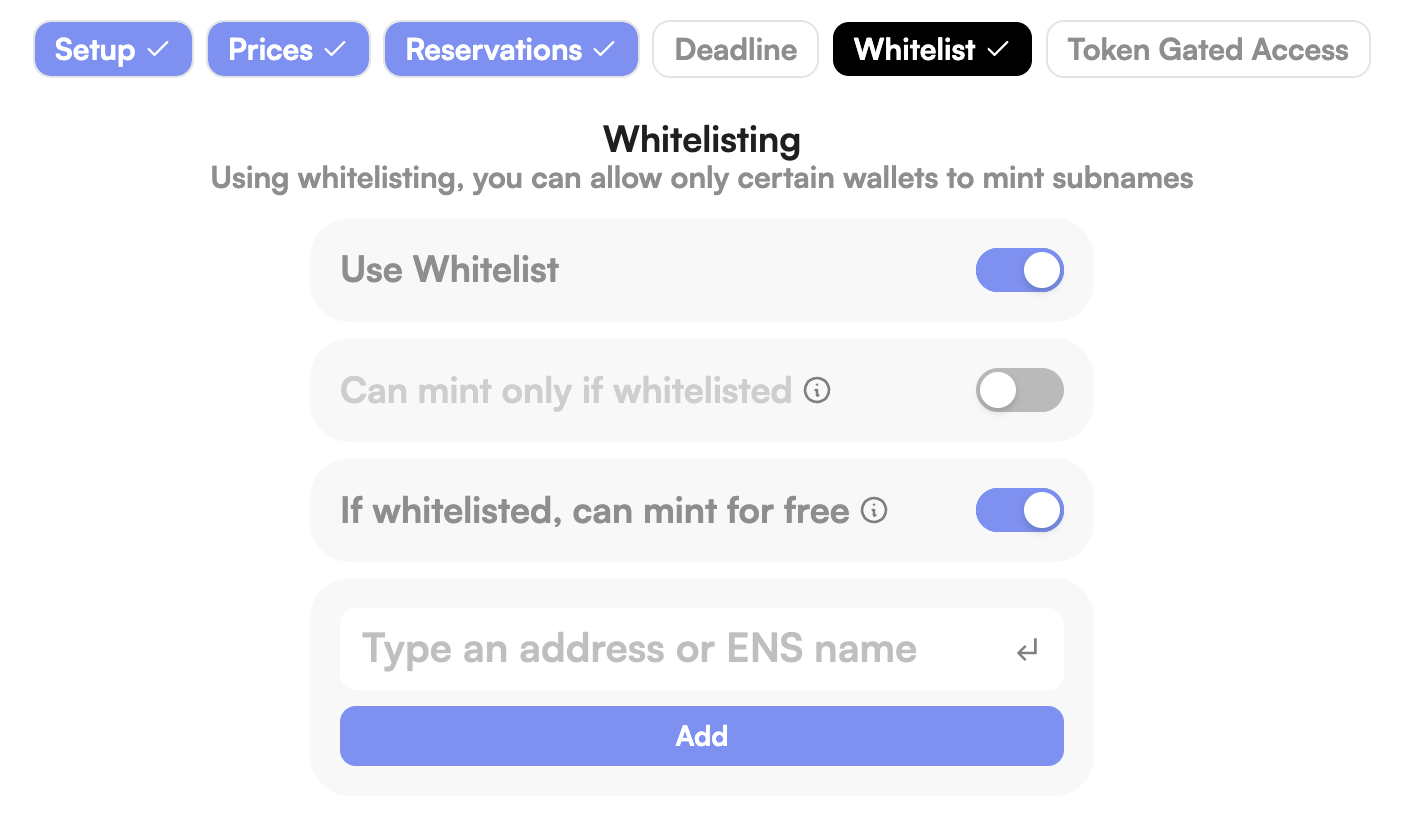
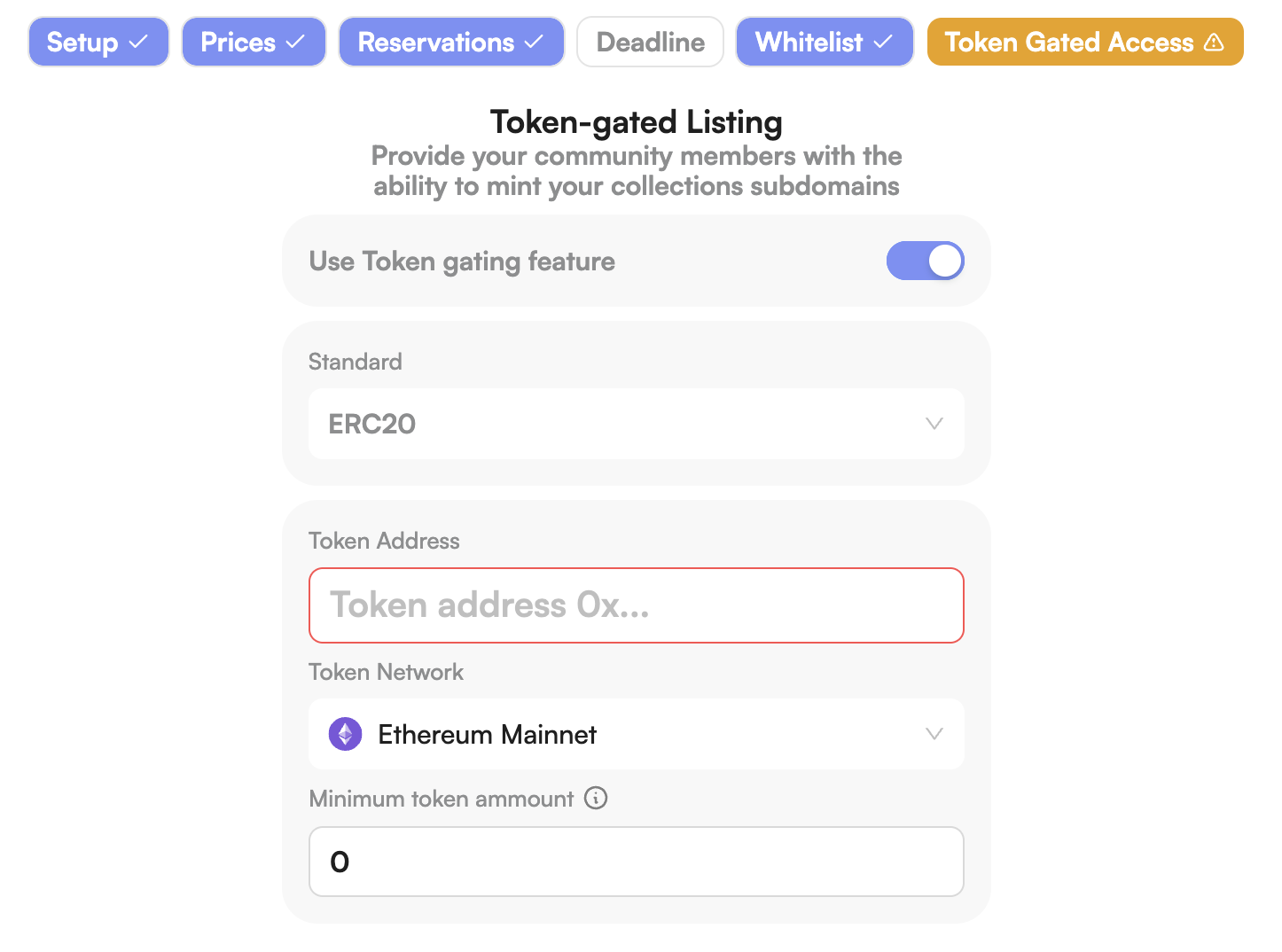
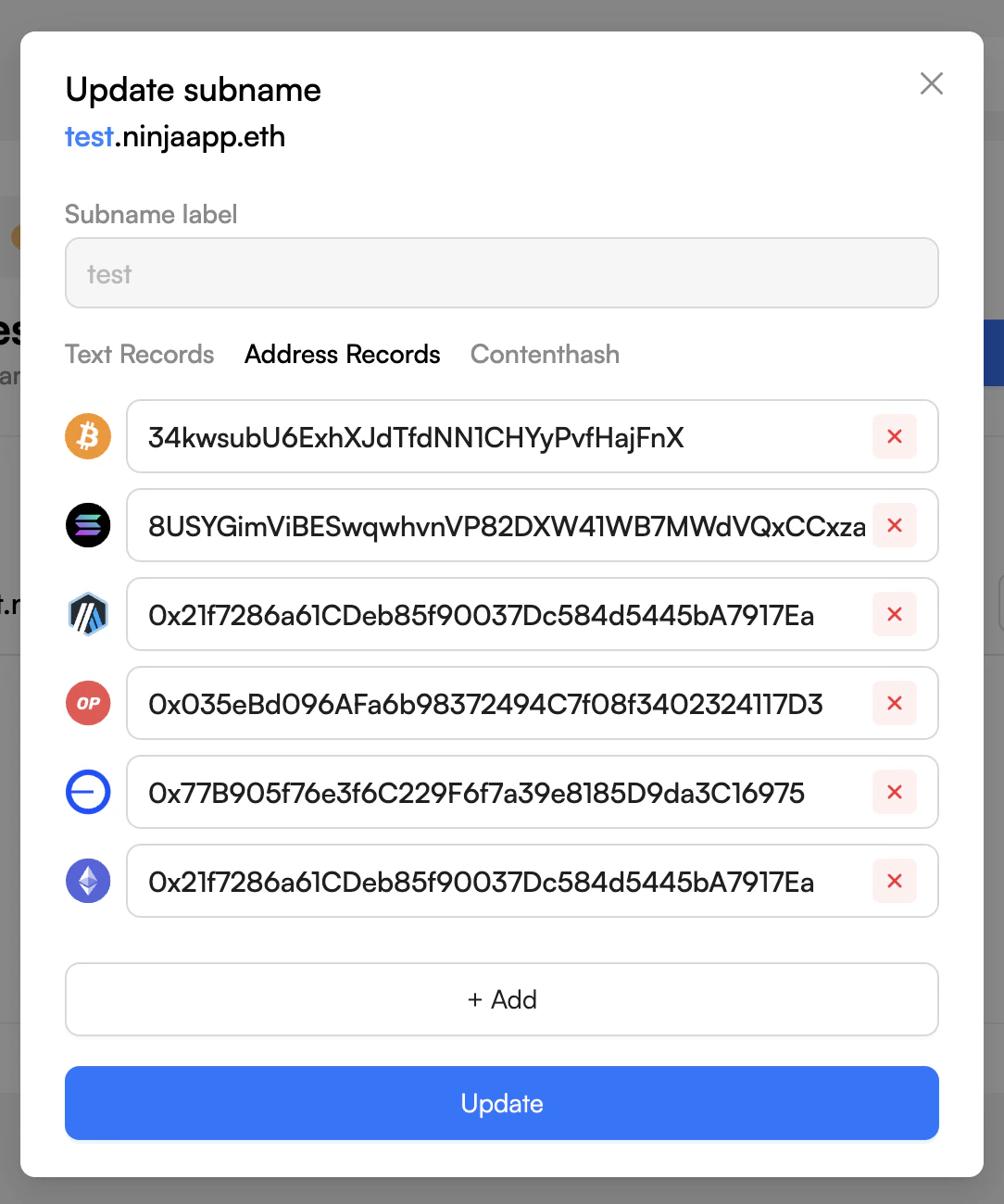
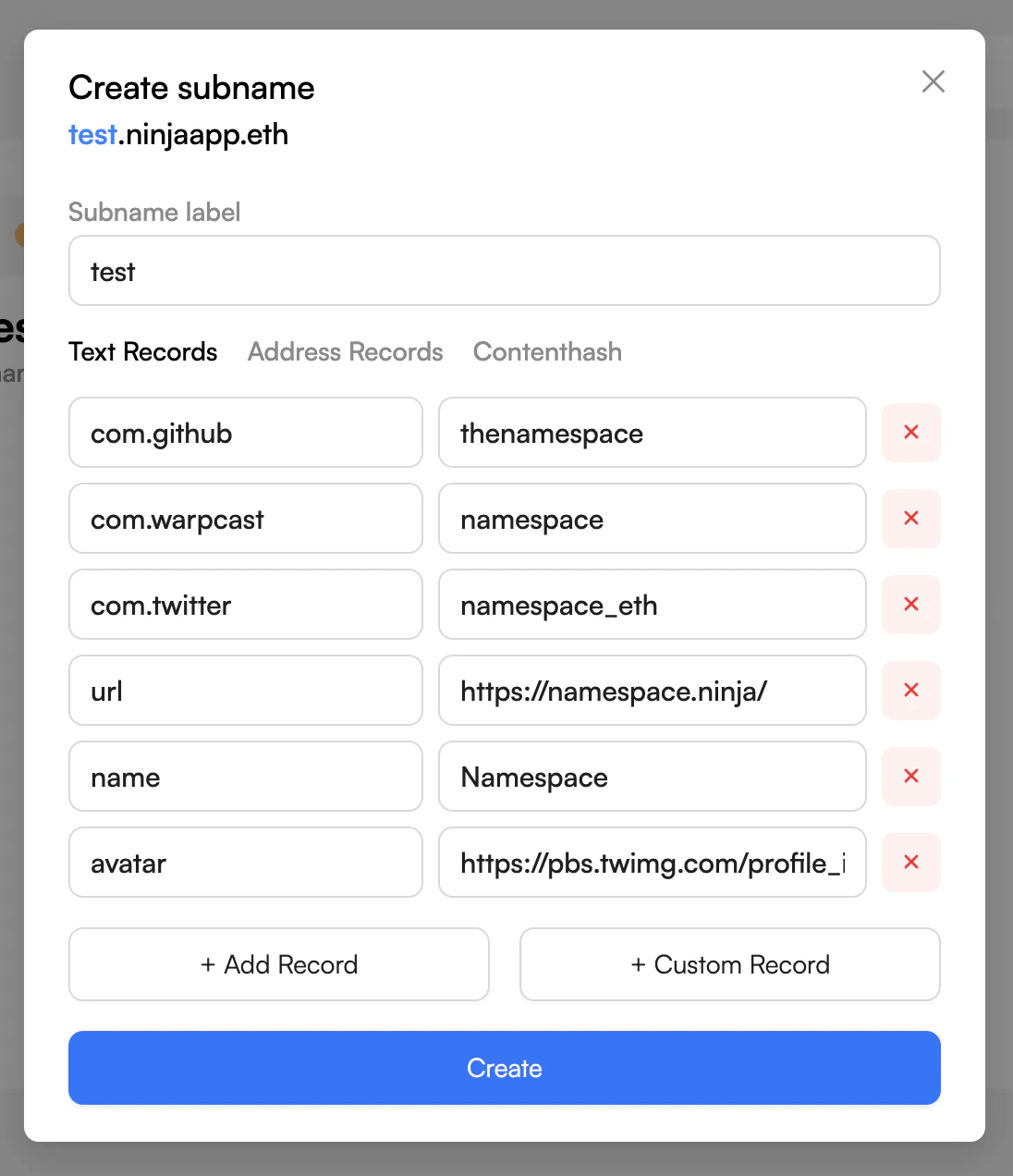
# Overview Source: https://docs.namespace.ninja/api-reference/introduction Authentication and endpoints for Namespace subname APIs. ## Offchain Manager API The Offchain Manager API allows you to create, update, delete, and retrieve offchain ENS subnames and their associated records by using the Namespace. ### Authentication Some endpoints require authentication via API key using the `x-auth-token` header. You can generate API keys through the [Namespace App](https://app.namespace.ninja/offchain?activeTab=apiKeys). ```bash theme={null} x-auth-token: YOUR_API_KEY ``` Register new subnames with text records, addresses, and metadata. Get detailed information about existing subnames by full name. Query multiple subnames with flexible filters including parent name, label search, ownership, and metadata. Remove subnames from the system (requires API key). ## Mint Manager API Get estimated price, fee, and validation status for a requested subname. Generate signed mint parameters ready to be used on-chain. ## Resolvio API Base URL: `https://api.resolvio.xyz/` List supported chain names and coin types for address resolution. Resolve one address to its primary ENS name. Reverse-resolve an address to its full verified ENS profile in one call. Resolve multiple Ethereum addresses to ENS names in one request. Retrieve addresses, text records, and content hash for an ENS name in one response. Resolve profile data for multiple ENS names in one request. Retrieve multichain addresses associated with an ENS name. Retrieve selected or complete text records for an ENS name. Retrieve the IPFS, IPNS, or other content identifier published through an ENS name. Invalidate cached resolver data before your next read. # Estimate mint params Source: https://docs.namespace.ninja/api-reference/mint-manager/estimate-mint-params openapi/mint-openapi.json GET /api/v1/mint/estimate Estimate the price, fee, and eligibility for an ENS subname mint. # Generate mint params Source: https://docs.namespace.ninja/api-reference/mint-manager/generate-mint-params openapi/mint-openapi.json POST /api/v1/mint Generate signed parameters for an ENS subname mint transaction. # Create or update a subname Source: https://docs.namespace.ninja/api-reference/offchain-manager/create-or-update-a-subname openapi/offchain-openapi.json POST /api/v1/subnames Create an offchain ENS subname or update its records and metadata. # Delete a subname Source: https://docs.namespace.ninja/api-reference/offchain-manager/delete-a-subname openapi/offchain-openapi.json DELETE /api/v1/subnames/{fullSubname} Permanently delete an offchain ENS subname and its records. # Get subname by full name Source: https://docs.namespace.ninja/api-reference/offchain-manager/get-subname-by-full-name openapi/offchain-openapi.json GET /api/v1/subnames/{fullSubname} Retrieve an offchain ENS subname and its records by full name. # Query subnames Source: https://docs.namespace.ninja/api-reference/offchain-manager/query-subnames openapi/offchain-openapi.json POST /api/v1/subnames/search Filter and paginate offchain subnames. # Bulk reverse resolve Source: https://docs.namespace.ninja/api-reference/resolvio/bulk-reverse-resolve openapi/resolvio.json GET /ens/v2/reverse/bulk Reverse resolution for address lists in one request. Resolve multiple Ethereum addresses to their primary ENS names in a single request. Use this when you need to resolve many addresses (e.g., a list of wallet holders or transaction participants) with one API call. # Clear ENS cache Source: https://docs.namespace.ninja/api-reference/resolvio/clear-ens-cache openapi/resolvio.json DELETE /ens/v2/cache/{name} Refresh resolver data before your next read. Clear cached records for an ENS name. Use this when you need to invalidate cached resolver data before a follow-up read. # Get bulk ENS profiles Source: https://docs.namespace.ninja/api-reference/resolvio/get-bulk-ens-profiles openapi/resolvio.json GET /ens/v2/profile/bulk Profile data for tables, leaderboards, and multi-name views. Resolve profiles for multiple ENS names in one request. Use this for table views, leaderboards, and any UI that needs profile data for multiple names at once. # Get ENS addresses Source: https://docs.namespace.ninja/api-reference/resolvio/get-ens-addresses openapi/resolvio.json GET /ens/v2/addresses/{name} Multichain address records for one ENS name. Retrieve cryptocurrency addresses (e.g., ETH, BTC) associated with an ENS name. Optionally filter by coin types. # Get ENS content hash Source: https://docs.namespace.ninja/api-reference/resolvio/get-ens-contenthash openapi/resolvio.json GET /ens/v2/contenthash/{name} Content identifiers published through an ENS name. Retrieve the content hash (IPFS, IPNS, or other content identifiers) associated with an ENS name. # Get ENS profile Source: https://docs.namespace.ninja/api-reference/resolvio/get-ens-profile openapi/resolvio.json GET /ens/v2/profile/{name} A complete ENS profile in one response. Retrieve comprehensive profile information for an ENS name, including addresses, text records, and content hash. # Get ENS text records Source: https://docs.namespace.ninja/api-reference/resolvio/get-ens-texts openapi/resolvio.json GET /ens/v2/texts/{name} Selected or complete ENS text records. Retrieve text records for an ENS name (e.g., avatar, description, keywords). Optionally filter by keys. # List supported chains Source: https://docs.namespace.ninja/api-reference/resolvio/list-supported-chains openapi/resolvio.json GET /ens/v2/chains Validate chain filters before requesting ENS data. List supported chain names and coin types for address resolution. Use this endpoint to validate chain filters before calling address or profile endpoints. # Reverse resolve address to profile Source: https://docs.namespace.ninja/api-reference/resolvio/reverse-resolve-profile openapi/resolvio.json GET /ens/v2/reverse/{address}/profile Resolve an Ethereum address to its full verified ENS profile. Reverse-resolve an Ethereum address and return its full verified ENS profile in one call. Unlike the single-name reverse endpoint, this performs reverse resolution **with forward verification** and bundles the complete profile — text records, multichain addresses, contenthash, and convenience fields (`avatar`, `displayName`, `description`) — so you don't need a second forward lookup. Returns `200` with `hasReverseRecord: false` and null profile fields when no verified reverse record exists. Upstream RPC/resolver errors are propagated unchanged. # Reverse resolve single address Source: https://docs.namespace.ninja/api-reference/resolvio/reverse-resolve-single openapi/resolvio.json GET /ens/v2/reverse/{address} Primary-name lookup for one Ethereum address. Resolve a single Ethereum address to its primary ENS name. Returns the ENS name if a reverse record is set; otherwise indicates that no reverse record exists. # Address SDK Source: https://docs.namespace.ninja/changelog/address-sdk Changelog for the Address SDK with version updates and changes. * Changed: * SDK renamed to `@thenamespace/addresses`. # Avatar SDK Source: https://docs.namespace.ninja/changelog/avatar-sdk Changelog for the Avatar SDK with version updates and changes. * Added: * `@thenamespace/avatar` SDK for managing ENS avatar and header images with SIWE v4 authentication. * Direct Viem, Ethers, and `WalletProvider` integration without adapters. * Automatic and manual SIWE signing flows for upload and delete operations. * Real-time upload progress and file size and format validation. # Indexer SDK Source: https://docs.namespace.ninja/changelog/indexer-sdk Changelog for the Indexer SDK with version updates and changes. * Changed: * **BREAKING**: SDK renamed to `@thenamespace/indexer` from `@namespacesdk/indexer`. * Enhanced error handling with detailed error context and logging. * Improved TypeScript types with comprehensive JSDoc documentation. * Added response interceptors for better error reporting. * Updated default timeout to 30 seconds. * Enhanced HTTP client configuration with better defaults. * Added: * Comprehensive JSDoc documentation for all interfaces and methods. * Better error handling with enhanced error messages. * Support for custom HTTP client configuration. * Improved type safety with detailed interface documentation. * Enhanced developer experience with better examples and documentation. * Repository metadata and support links. # Mint SDK Source: https://docs.namespace.ninja/changelog/mint-sdk Changelog for the Mint SDK with version updates and changes. * Added: * Default EVM chain configuration for address records: `ChainName.Default` with coin type `2147483648`. * Fixed: * Corrected Scroll coin type from `34352` to `534352`. * Changed: * **Package Scope Rename**: Renamed package scope in docs from `@namespacesdk/mint-manager` to `@thenamespace/mint-manager` * **Client Creation Update**: `createMintClient()` now derives environment internally. Use `{ isTestnet: true }` to target testnet; no explicit environment needed * Fixed: * **Testnet Behavior**: When `isTestnet: true`, SDK now consistently uses Sepolia listings and staging API endpoints * Misc: * **Documentation**: Minor documentation cleanups and examples clarified * Fixed: * **Ownership Method**: Fixed ownership in the method `getMintTransactionParameters` * Changed: * **Package Migration**: Package has been moved from `@namespacesdk/mint-manager` to `@thenamespace/mint-manager` for consistency # Offchain SDK Source: https://docs.namespace.ninja/changelog/offchain-sdk Changelog for the Offchain SDK with version updates and changes. * Added: * **New Blockchain Support**: Added support for two Substrate L1 chains: * Polkadot (`ChainName.Polkadot = "dot"`, coin type 354, SS58 prefix 0) * Vara Network (`ChainName.Vara = "vara"`, coin type 913, SS58 prefix 137) * Enhanced: * **SS58 Address Validation**: Introduced a shared `isValidSs58(value, leadingChars, minLen, maxLen?)` helper in `validation.ts` that validates leading characters, length range, and base58 charset. Powers both Polkadot and Vara address checks. * Testing: * Added positive and negative validation tests for both chains using real addresses computed via `@polkadot/util-crypto`. Cross-rejection tests confirm each chain's validator rejects the other's address format. * Fixed: * **Custom Auth Token Support**: When `x-auth-token` is supplied through `setCustomHeaders` / `customHeaders`, the client no longer requires `setApiKey` / `setDefaultApiKey` to be configured. Previously the SDK still threw `Api key is not present for name: ...` even when token-based auth was already provided through custom headers. Strict ENS-name validation is also relaxed for single-label names when token auth is in effect. * Added: * **Custom HTTP Headers**: New `setCustomHeaders(headers)` method on `OffchainClient` and matching `customHeaders` field on `OffchainClientConfig`. Headers set this way are applied to every outgoing request, which is useful for tracing IDs, multi-tenant routing, or additional authentication metadata. * Testing: * Added integration tests covering custom-header propagation through the client. * Changed: * **Monad Mainnet Support**: Updated Monad coin type from `10143` (testnet) to `143` (mainnet) for production network compatibility * Added: * **New Blockchain Support**: Added support for Push Testnet (Chain ID: 42101) * Added: * **setDefaultEvmAddress Method**: Set a default EVM address for all EVM-compatible chains with a single call * **EVM Chain Metadata**: Added evm flag to chain metadata for EVM compatibility identification * Enhanced: * **Developer Experience**: Updated README and examples with setDefaultEvmAddress usage * **Multi-chain Support**: Method supports 17 EVM chains (Ethereum, Arbitrum, Optimism, Base, Polygon, BSC, Avalanche, Gnosis, zkSync, Linea, Scroll, Unichain, Berachain, WorldChain, Zora, Celo, Monad) * Added: * **Default EVM Chain**: Support for the default chain introduced in ENSIP-19 (Chain ID: 0) * Added: * **New Blockchain Support**: Added support for Monad (Chain ID: 10143) * Added: * **Optional API Key Configuration**: Added support for `defaultApiKey` and `domainApiKeys` during client initialization * **No-Parameter Client Creation**: Support for creating clients without parameters (defaults to mainnet) * Enhanced: * **Improved Developer Experience**: Better inline API key setup workflow * **Documentation Updates**: Updated documentation and examples to reflect new features * Fixed: * **Coin Type Corrections**: * Fixed Sui coin type from `101` to `784` (correct SLIP-44 identifier) * Fixed Starknet coin type from `234567891` to `9004` (correct SLIP-44 identifier) * Updated test script to include Sui address validation testing * Testing: * **Enhanced Test Coverage**: * Added Sui address record testing in manual test suite * Improved validation for blockchain-specific coin types * Added: * **New Blockchain Support**: Added support for 7 new blockchain networks: * Unichain * Berachain * WorldChain * Zora * Celo * Aptos * Algorand * Enhanced: * **Improved Address Validation**: * Enhanced Starknet address validation to support variable-length hex addresses (1-64 characters) * Improved Bitcoin address validation to support Legacy (P2PKH), Script (P2SH), Bech32 (P2WPKH/P2WSH), and Taproot (P2TR) formats * Updated Cosmos address validation to use proper bech32 format with 'cosmos1' prefix * Enhanced NEAR address validation to support both implicit accounts (64 hex chars) and named accounts (.near) * Improved Sui address validation to support variable-length hex addresses (1-64 characters) * Added Aptos address validation with variable-length hex support * Added Algorand address validation using Base32 format (58 characters) * Testing: * **Comprehensive Test Coverage**: * Added validation tests for all new blockchain chains * Enhanced Bitcoin address validation tests with multiple format support * Added Starknet address validation tests for both full and shortened addresses * Added Cosmos, NEAR, Sui, Aptos, and Algorand address validation tests * Added EVM-compatible chain address validation tests * Enhanced `README.md`: * Added Supported Chains section with a quick reference of available blockchain networks. * Added Error Handling section with try/catch examples and specific error classes. * Adopted Keep a Changelog format and Semantic Versioning. * Initialized `CHANGELOG` documentation for the `@thenamespace/offchain-manager` package. * Changed: * **BREAKING**: Package renamed from `@namespacesdk/offchain-manager` to `@thenamespace/offchain-manager`. This is the canonical package going forward. * Enhanced package description for better discoverability. * Updated repository information and added homepage. * Added comprehensive keywords (ens, ethereum, subnames, domains, web3, sdk, etc.). * Added engines specification requiring Node.js >=16.0.0. * Added publishConfig for public access. * Documentation: * Enhanced `README.md`: * Added comprehensive API key types documentation (Address-based vs Domain-based). * Updated all code examples with the new package name. * Improved environment setup instructions. * Added mixed usage examples for API keys. * Updated Namespace Dev Portal section with API key type explanations. * Improved `TESTING.md`: * Updated title and package references. * Fixed environment configuration examples. * Updated CI/CD workflow examples. * Improved code formatting and consistency. * Package improvements: * Repository field with proper GitHub organization link. * Homepage field pointing to `https://namespace.ninja`. * Bugs field for issue tracking. * PublishConfig for NPM organization publishing. * Enhanced metadata for better package discovery. * Fixed: * All import statements updated to use the new package name. * Documentation consistency across all files. * `package.json` validation and best practices compliance. # Building with AI Source: https://docs.namespace.ninja/developer-guide/ai-development Give AI coding tools direct access to Namespace context. Use the Copy and Ask in ChatGPT/Claude buttons on each page to quickly work with the docs. ## LLM-friendly documentation Get AI-optimized plain text for any page or the entire corpus. Open llms.txt Open llms-full.txt ### Markdown export * Press Command + C (Ctrl + C on Windows) to copy a page as Markdown to your clipboard. * Append `.md` to any docs page URL for a markdown version of the page. ### llms.txt * Access a concise overview of the docs and list of pages at `/llms.txt`. * Download the complete documentation at `/llms-full.txt`. `llms.txt` and `llms-full.txt` return markdown text, condensed for AI consumption. *** ## Skills See the [Skills](/developer-guide/skills) page for more information on how to install skills to give your AI agent deep knowledge of a specific SDK. Skills are available for the [Offchain ENS Subname SDK](/developer-guide/skills#offchain-ens-subname-sdk-skill), [ENS Components](/developer-guide/skills#ens-components-skill), and [Resolvio](/developer-guide/skills#resolvio-ens-resolution-skill). *** ## MCP Server Browse our documentation from your AI IDE via our hosted MCP server. ### Connection details * **MCP Server URL**: `https://docs.namespace.ninja/mcp` ### Available tools * **Search**: Query docs to find examples, API references, and guides. Returns titles, context, and deep links. ### Use with AI applications Steps 1. In your MCP client (e.g., Cursor, Claude Desktop), add a new MCP server. 2. Use the URL `https://docs.namespace.ninja/mcp`. 3. Test and run `Search` (e.g., "Offchain SDK create subname"). ### Example: Connecting to the Namespace MCP server Connect to the Namespace MCP server to interact with the Namespace API and search our documentation. This will give you more accurate answers about how to use Namespace in your local environment and demonstrates how you can help your users connect to your MCP server. At the top of this page, select the contextual menu and choose **Connect to Cursor** or **Connect to VS Code** to connect the Mintlify MCP server to the IDE of your choice. To use the Namespace MCP server with Claude: 1. Navigate to the [Connectors](https://claude.ai/settings/connectors) page in the Claude settings. 2. Select **Add custom connector**. 3. Add the Namespace MCP server: * Name: `Namespace` * URL: `https://docs.namespace.ninja/mcp` 4. Select **Add**. 1. When using Claude, select the attachments button (the plus icon). 2. Select the Namespace MCP server. 3. Ask Claude a question about Namespace. See the [Model Context Protocol documentation](https://modelcontextprotocol.io/docs/tutorials/use-remote-mcp-server#connecting-to-a-remote-mcp-server) for more details. To use the Namespace MCP server with Claude Code, run the following command: ```bash theme={null} claude mcp add --transport http Namespace https://docs.namespace.ninja/mcp ``` Test the connection by running: ```bash theme={null} claude mcp list ``` See the [Claude Code documentation](https://docs.anthropic.com/en/docs/claude-code/mcp#installing-mcp-servers) for more details. To connect the Namespace MCP server to Cursor, click the **Install in Cursor** button. Or to manually connect the MCP server, follow these steps: 1. Use Command + Shift + P (Ctrl + Shift + P on Windows) to open the command palette. 2. Search for "Open MCP settings". 3. Select **Add custom MCP**. This will open the `mcp.json` file. In `mcp.json`, add: ```json theme={null} { "mcpServers": { "Namespace": { "url": "https://docs.namespace.ninja/mcp" } } } ``` In Cursor's chat, ask "What tools do you have available?" Cursor should show the Namespace MCP server as an available tool. See [Installing MCP servers](https://docs.cursor.com/en/context/mcp#installing-mcp-servers) in the Cursor documentation for more details. To connect the Namespace MCP server to VS Code, click the **Install in VS Code** button. Or to manually connect the MCP server, create a `.vscode/mcp.json` file and add: ```json theme={null} { "servers": { "Namespace": { "type": "http", "url": "https://docs.namespace.ninja/mcp" } } } ``` See the [VS Code documentation](https://code.visualstudio.com/docs/copilot/chat/mcp-servers) for more details. # Onchain subname architecture Source: https://docs.namespace.ninja/developer-guide/architecture/onchain-subnames How Namespace issues onchain subnames on Ethereum and L2 chains. The Namespace App lets ENS name owners activate a parent name and configure how other users can mint its subnames. Configuration options include: * Base and custom pricing * Reserved subnames * Whitelists * Token-gated access * Deadline Namespace supports issuing onchain subnames on **Ethereum mainnet** and **L2 chains (currently Base and Optimism)**. ## ENS name activation The activation process differs depending on whether the ENS name owner chooses to issue subnames on Ethereum or an L2 chain. ### Activation on Ethereum Activating subnames on Ethereum involves **four main steps**: 1. **Create Activation Configuration:** The List Manager backend generates the activation configuration for the subname. 2. **Approve Mint Controller:** The owner grants approval to the Mint Controller smart contract. This is a **one-time approval** and does not need to be repeated for future names. 3. **Wrap the Name:** If the parent name is not yet wrapped, it must be wrapped before activation can proceed. 4. **Verify Activation:** The backend validates that all onchain steps (approval and wrapping) have been executed correctly. Ethereum activation flow from configuration through approval, wrapping, and verification ### Activation on L2 chains Activating subnames on an L2 chain follows **four key steps**: 1. **Create activation configuration:** The List Manager backend generates the rules for the subname minting flow. 2. **Deploy ERC-721 Registry:** An ERC-721 registry contract is deployed on the chosen L2 chain to manage ownership of subnames. 3. **Configure Resolver:** A resolver supporting **ENSIP-10 wildcard resolution** is set and configured to enable flexible, scalable name resolution. 4. **Verify Activation:** The backend validates that all onchain steps (registry deployment and resolver setup) have been completed correctly. L2 chain activation flow from configuration through registry deployment, resolver setup, and verification ## Minting process Mint preparation happens offchain, while ownership changes happen in an onchain transaction. The minter requests signed parameters from the Mint Manager service and uses them to call the configured mint contract on Ethereum or the listing's L2 chain. * **Flexible listing rules:** The service can evaluate reservations, allowlists, token requirements, deadlines, and pricing before signing parameters. * **Configuration updates:** Listing rules can change without redeploying the mint contract, subject to the activated name's onchain configuration. * **Onchain verification:** The mint contract validates the signed parameters when the user submits the transaction. Mint flow from eligibility request through signed parameters and the onchain transaction ## Resolution process ### Resolution on Ethereum Since onchain subnames on Ethereum are part of the existing ENS contracts on mainnet, they resolve just like any other ENS name: 1. **Fetch Resolver:** Call `getResolver` on the ENS Registry to retrieve the resolver contract for `namehash(name.eth)`. 2. **Resolve Records:** Call the required resolver function (`addr`, `text`, `contenthash`, etc.) on the resolver contract. ### Resolution on L2 chains Resolution on L2 chains relies on [CCIP Read](https://eips.ethereum.org/EIPS/eip-3668) with [ENSIP-10 wildcard resolution](https://docs.ens.domains/ensip/10/). ENSIP-10 defines a workflow that allows resolving subnames of a parent name, even if those subnames don’t technically exist on Ethereum. The process works as follows: 1. **Query ENS Registry:** The client queries the ENS Registry contract for the resolver address of the subname. 2. **Fallback to Parent:** If the resolver address is the zero address, the client strips the leftmost label and queries the Registry again for the parent name’s resolver. 3. **Call Resolve:** Once a resolver is found, the client calls `resolve(name, data)`, where: * `name` is the DNS-encoded subname. * `data` is the encoded resolver function call. 4. **Offchain Lookup Trigger:** The resolver reverts with an `OffchainLookup` error (per \[EIP-3668, CCIP-Read]), providing: * One or more URLs to query off-chain. * The call data required for resolution. * The address of the resolver contract to callback. 5. **Offchain Data Fetch:** The client performs an HTTPS request to the specified resolution gateway server. 6. **Response Returned:** The server processes the request offchain and returns signed resolution data with a callback function. 7. **Callback Onchain:** The client submits the signed response back to the resolver contract via the designated callback function. 8. **Final Resolution:** The resolver verifies the signature and returns the final resolved record (e.g., `addr`, `text`, or `contenthash`). ## Next steps Generate mint transaction parameters for onchain subname issuance on Ethereum or L2 chains. Issue gasless subnames and manage their records offchain. Create and query your first subname with TypeScript. # Create offchain subnames Source: https://docs.namespace.ninja/developer-guide/guide/create-offchain-subnames Go from API key to a resolved name. Create a gasless offchain subname, attach ENS records, and query the result with the `@thenamespace/offchain-manager` SDK. ## Prerequisites * Node.js 22 and npm or yarn * An ENS name you manage, such as `example.eth` * A Namespace API key (from the Namespace App) Follow this guide to create and copy your API key from the Namespace App. Install the Offchain SDK and dotenv to load your API key from an environment variable: ```bash theme={null} npm install @thenamespace/offchain-manager@1.0.13 dotenv ``` ```bash theme={null} yarn add @thenamespace/offchain-manager@1.0.13 dotenv ``` Initialize the client with the network you want to use and your API key. Store the key in an environment variable and run this code on the server. ```ts index.ts theme={null} import 'dotenv/config'; import { createOffchainClient } from '@thenamespace/offchain-manager'; // Required: set NAMESPACE_API_KEY in your environment const apiKey = process.env.NAMESPACE_API_KEY; if (!apiKey) throw new Error('Missing NAMESPACE_API_KEY'); // Use 'sepolia' for testing, 'mainnet' for production export const client = createOffchainClient({ mode: 'sepolia', timeout: 5000, defaultApiKey: apiKey, }); console.log('Offchain client initialized'); ``` Use `isSubnameAvailable` before creating a subname to avoid overwriting an existing one. ```ts check-availability.ts theme={null} import { client } from './index'; async function main() { const subname = 'alice.example.eth'; const { isAvailable } = await client.isSubnameAvailable(subname); console.log('isAvailable:', isAvailable); } main().catch((err) => { console.error('Availability check failed:', err); process.exit(1); }); ``` Expected output (if available): ```bash theme={null} isAvailable: true ``` You can use the `owner` field to filter subnames by their associated address, enabling efficient reverse lookups (from address to name). Create a subname under your parent name. You can include text records, address records, owner, and metadata. ```ts create-subname.ts theme={null} import { client } from './index'; import { ChainName } from '@thenamespace/offchain-manager'; async function main() { const PARENT_NAME = 'example.eth'; const SUB_LABEL = 'alice'; // results in alice.example.eth const OWNER_ADDRESS = '0xd8dA6BF26964aF9D7eEd9e03E53415D37aA96045'; // After checking the subname is available, create it with the following parameters: await client.createSubname({ label: SUB_LABEL, parentName: PARENT_NAME, texts: [ { key: 'name', value: 'Alice' }, { key: 'url', value: 'https://example.com' }, ], addresses: [ { chain: ChainName.Ethereum, value: OWNER_ADDRESS }, ], owner: OWNER_ADDRESS, metadata: [{ key: 'sender', value: OWNER_ADDRESS }], }); console.log(`Created ${SUB_LABEL}.${PARENT_NAME}`); } main().catch((err) => { console.error('Create subname failed:', err); process.exit(1); }); ``` Expected output: ```bash theme={null} Created alice.example.eth ``` We recommend associating a single address with a single subname to do reverse lookup. Fetch all subnames you own or created by filtering on `owner` (or by `metadata`). ```ts theme={null} import { client } from './index'; async function main() { const PARENT_NAME = 'example.eth'; const OWNER_ADDRESS = '0xd8dA6BF26964aF9D7eEd9e03E53415D37aA96045'; // Get all subnames owned by the address const page = await client.getFilteredSubnames({ parentName: PARENT_NAME, owner: OWNER_ADDRESS, page: 1, size: 5, }); console.log(JSON.stringify(page.items, null, 2)); } main(); ``` Example output: ```json theme={null} [ { "fullName": "alice.example.eth", "parentName": "example.eth", "label": "alice", "texts": { "name": "Alice", "url": "https://example.com" }, "addresses": { "60": "0x1234567890abcdef1234567890abcdef12345678" }, "metadata": { "sender": "0x1234567890abcdef1234567890abcdef12345678" }, "owner": "0x1234567890abcdef1234567890abcdef12345678" } ] ``` Retrieve a single text record or all text records on a subname. ```ts get-text-records.ts theme={null} import { client } from './index'; async function main() { const subname = 'alice.example.eth'; // You can retrieve all text records on a subname const all = await client.getTextRecords(subname); // You can also retrieve a single text record based on a key on a subname const { record: name } = await client.getTextRecord(subname, 'name'); console.log('all text records:', all); console.log('name:', name); } main(); ``` Example output: ```bash theme={null} all text records: { name: 'Alice', url: 'https://example.com' } name: Alice ``` Address records are included in the subname response. A simple way to read them is via `getFilteredSubnames` and then inspecting `addresses`. ```ts theme={null} import { client } from './index'; async function main() { const subnamesPage = await client.getFilteredSubnames({ parentName: 'example.eth', labelSearch: 'alice', }); const item = subnamesPage.items.find( (subname) => subname.fullName === 'alice.example.eth', ); console.log('addresses:', item?.addresses); } main(); ``` Example output: ```bash theme={null} addresses: { "60": "0x1234567890abcdef1234567890abcdef12345678" } ``` ## Next steps * Update records on an existing subname using [`updateSubname`](/developer-guide/sdks/offchain-manager/create-update-subname) * Explore more filters with [`getFilteredSubnames`](/developer-guide/sdks/offchain-manager/get-filtered-subnames) * See supported chains in [`ChainName`](/developer-guide/sdks/offchain-manager/chainname) * Diagnose common errors in [Troubleshooting](/developer-guide/troubleshooting) ## ENS Client Compatibility Subnames created with the Offchain SDK can be accessed and resolved using any of the eligible ENS client libraries like [wagmi](https://wagmi.sh/), [viem](https://viem.sh//), [ethers](https://docs.ethers.org/v6/), and others listed in the [ENS Tools & Libraries documentation](https://docs.ens.domains/web/libraries/#libraries/). Reverse Resolution Limitation: Offchain subnames do not support reverse resolution, so you cannot fetch a profile from an address. However, you can still set address records on offchain subnames for forward resolution. # Mint Onchain Subnames on Ethereum or L2 Source: https://docs.namespace.ninja/developer-guide/guide/mint-l1-l2-subnames Mint ENS subnames on Ethereum or L2 chains. This guide shows how to mint an onchain subname under an ENS name activated in the Namespace App. The Mint Manager SDK selects the correct mint contract for Ethereum or the parent listing's L2 chain; your Viem clients submit the resulting transaction on that chain. The complete example uses Base. The Ethereum variation is included in [Check availability](#3-check-availability). ## Prerequisites * Node.js 22 and npm * TypeScript experience * An ENS name activated and listed in the [Namespace App](/user-guide/app#activate-your-ens-name) * A wallet with enough native currency for the mint price and gas * An RPC endpoint for the chain on which you will mint Use a dedicated development wallet and a testnet listing while testing. Never expose a wallet private key in browser code or commit it to source control. Before you can mint subnames, your parent ENS name must be activated on the Namespace platform. This is a prerequisite for all subname minting operations. See the step-by-step guide on how to activate an ENS name. Install the package versions used by this documentation: ```bash npm theme={null} npm install @thenamespace/mint-manager@1.1.1 viem dotenv ``` ```bash yarn theme={null} yarn add @thenamespace/mint-manager@1.1.1 viem dotenv ``` Add the RPC endpoint and private key to `.env`: ```bash .env theme={null} BASE_RPC_URL=https://your-base-rpc.example WALLET_PRIVATE_KEY=0xYOUR_PRIVATE_KEY ``` Create the Mint Manager SDK client and Viem clients: ```typescript clients.ts theme={null} import 'dotenv/config'; import { createMintClient } from '@thenamespace/mint-manager'; import { createPublicClient, createWalletClient, http, type Hex, } from 'viem'; import { privateKeyToAccount } from 'viem/accounts'; import { base } from 'viem/chains'; const rpcUrl = process.env.BASE_RPC_URL; const privateKey = process.env.WALLET_PRIVATE_KEY as Hex | undefined; if (!rpcUrl) throw new Error('Missing BASE_RPC_URL'); if (!privateKey) throw new Error('Missing WALLET_PRIVATE_KEY'); export const account = privateKeyToAccount(privateKey); export const mintClient = createMintClient({ mintSource: 'my-app' }); export const publicClient = createPublicClient({ chain: base, transport: http(rpcUrl), }); export const walletClient = createWalletClient({ account, chain: base, transport: http(rpcUrl), }); ``` To use testnet listings and Namespace staging services, initialize the Mint Manager SDK with `createMintClient({ isTestnet: true, mintSource: 'my-app' })` and configure Viem clients for the matching testnet chain. For a listing on an L2 chain, pass the target chain ID: ```typescript availability.ts theme={null} import { base } from 'viem/chains'; import { mintClient } from './clients'; const fullName = 'alice.example.eth'; const isAvailable = await mintClient.isL2SubnameAvailable( fullName, base.id, ); if (!isAvailable) throw new Error(`${fullName} is not available on Base`); ``` For a listing on Ethereum, use `isL1SubnameAvailable` instead: ```typescript theme={null} const isAvailable = await mintClient.isL1SubnameAvailable( 'alice.example.eth', ); ``` `getMintDetails` reports whether the wallet can mint and returns the estimated price and fee: ```typescript quote.ts theme={null} import { account, mintClient } from './clients'; export const parentName = 'example.eth'; export const label = 'alice'; export async function getQuote() { const details = await mintClient.getMintDetails({ parentName, label, minterAddress: account.address, }); if (!details.canMint) { throw new Error(details.validationErrors.join(', ')); } console.log({ priceEth: details.estimatedPriceEth, feeEth: details.estimatedFeeEth, }); return details; } ``` Add optional text and address records while preparing the transaction: ```typescript transaction.ts theme={null} import { ChainName } from '@thenamespace/mint-manager'; import { account, mintClient } from './clients'; import { label, parentName } from './quote'; export async function getTransaction() { return mintClient.getMintTransactionParameters({ parentName, label, minterAddress: account.address, owner: account.address, records: { texts: [ { key: 'description', value: 'Minted with Namespace' }, ], addresses: [ { chain: ChainName.Ethereum, value: account.address }, ], }, }); } ``` The SDK uses the parent listing to return the appropriate contract, ABI, arguments, and transaction value for Ethereum or the listing's L2 chain. Simulate first so contract errors are surfaced before the wallet sends the transaction: ```typescript mint.ts theme={null} import { account, publicClient, walletClient, } from './clients'; import { getQuote } from './quote'; import { getTransaction } from './transaction'; async function main() { await getQuote(); const transaction = await getTransaction(); const { request } = await publicClient.simulateContract({ account, address: transaction.contractAddress, abi: transaction.abi, functionName: transaction.functionName, args: transaction.args, value: transaction.value, }); const hash = await walletClient.writeContract(request); console.log(`Submitted transaction: ${hash}`); } main().catch((error: unknown) => { console.error(error); process.exitCode = 1; }); ``` Wait for a receipt before showing the subname as confirmed in your product. ## Troubleshooting * If `canMint` is false, display or log `validationErrors`. * If simulation fails, confirm the wallet and public clients use the listing's chain. * If the mint price changed, generate fresh transaction parameters before retrying. * If the subname is unavailable, choose another label; do not submit the transaction. See [Troubleshooting](/developer-guide/troubleshooting) for authentication, resolver, network, and transaction diagnostics. ## Next steps Review every Mint Manager SDK method and response type. Read indexed subname and registry data from L2 chains after minting. # Subname Developer Guide Source: https://docs.namespace.ninja/developer-guide/guide/subpages A flexible starting point for branded minting sites. The Subname Developer Guide helps you build and customize your own ENS subname minting website using our white label starter kit. This template provides a fully functional subname-minting website that you can deploy in minutes and customize to match your brand. ## Prerequisites * **ENS Name Activation**: Your ENS name must be activated and listed on the Namespace platform * **Node.js**: Version 16 or higher * **Git**: For cloning the repository ## Getting Started To enable subname registrations through your custom website, you first need to **activate your ENS name(s)**. Once activated, others will be able to mint subnames from them. See the step-by-step guide on how to activate an ENS Name. Clone the white label starter kit repository: ```bash theme={null} git clone https://github.com/thenamespace/subpages.git cd packages/subname-minting-website-template/ ``` Install the required dependencies: ```bash theme={null} yarn install ``` Create a `.env` file in the project root with your configuration: ```bash theme={null} VITE_APP_LISTED_NAME=yourname.eth VITE_APP_LISTING_CHAIN=base VITE_APP_ALCHEMY_TOKEN=your_alchemy_token_here VITE_APP_DEFAULT_AVATAR=https://your-avatar-url.com VITE_APP_IS_TESTNET=false VITE_APP_MINT_SOURCE=your-website ``` Start the development server: ```bash theme={null} yarn run dev ``` Your website will be available at `http://localhost:5173` ## Customization ### Theme Customization Customize the website's appearance through `theme.json`, which contains the colors, backgrounds, and other visual tokens. ```json theme={null} { "main": "#0a2943", "accent": "#309ae0", "light": "#ffffff", "dark": "#000000", "error": "#d80000", "backgroundImage": "https://your-background-image.com/image.jpg" } ``` ### Default ENS Avatar You can configure a default avatar for newly minted subnames. This can be your company logo or any image that represents your brand. Users can change this after minting. ### Custom Records Configure custom text records and address records for your subnames: * **Text Records**: Add custom metadata like website URLs, social media handles, or descriptions * **Address Records**: Set default wallet addresses for different chains Customization for text records and address records can be made in the `MintForm.tsx` component located at `/packages/subname-minting-website-template/src/components/MintForm.tsx`. The records are configured in the `mintParameters` function call: ```typescript MintForm.tsx lines theme={null} const params = await mintParameters({ minterAddress: address, expiryInYears: expiryYears, records: { addresses: addresses, texts: texts, }, label: label, parentName: listedName, owner: address!, }); ``` Modify the `addresses` and `texts` objects to set your desired default records for newly minted subnames. ## Deployment Once you're satisfied with your customizations, build and deploy your website: ```bash theme={null} yarn run build ``` This creates a `dist` folder containing the static site. Deploy that folder to a compatible host such as Vercel, Netlify, or GitHub Pages. ## Examples See these live examples of customized Subpages: * **OP Punks**: [oppunk.namespace.ninja](http://oppunk.namespace.ninja) * **PizzaDAO**: [pizzadao.namespace.ninja](http://pizzadao.namespace.ninja) * **SheFi**: [shefi.namespace.ninja](http://shefi.namespace.ninja) ## Get Started Launch your subname minting website in 5 minutes # Starter kits Source: https://docs.namespace.ninja/developer-guide/integrations Working starters for popular wallet and authentication stacks. Use a starter kit to begin with authentication, wallet connections, and offchain subname flows already wired together. Each guide includes the code, environment variables, setup steps, and architecture notes. ## Need a different integration? Ask in the [Namespace Builders group](https://t.me/+5FAwyiKOTeswNTIy) if your authentication or wallet provider is not listed. # Openfort Starter Kit Source: https://docs.namespace.ninja/developer-guide/integrations/starters/openfort-nextjs A ready-to-run embedded-wallet identity flow. ## ENS offchain subnames with Openfort A Next.js starter kit integrating the [Offchain Manager SDK](/developer-guide/sdks/offchain-manager) with [Openfort](https://www.openfort.io) Embedded Wallets for creating and managing offchain ENS subnames. ### Features * Openfort Embedded Wallets with Wagmi * Automatic recovery via Shield session endpoint * Offchain subname creation via secure API routes * Preferred identity resolution (subname → ENS → truncated address) * Account modal with username creation and avatar upload **Repository:** [`thenamespace/ens-subnames-openfort-template`](https://github.com/thenamespace/ens-subnames-openfort-template) ## Prerequisites * Node.js v18+ * An ENS name you control (e.g., `namespace.eth`) * Namespace API key from the [Namespace App](/user-guide/dev-portal#create-an-api-key) * Openfort account with API keys and Shield keys ```bash theme={null} npx create-next-app@latest my-project -e https://github.com/thenamespace/ens-subnames-openfort-template cd my-project npm install ``` 1. Open the [Openfort Dashboard](https://dashboard.openfort.io) and create an app 2. Copy your publishable key, secret key, and Shield keys 3. Create `.env.local` and add: ```env theme={null} # Openfort (public; required) NEXT_PUBLIC_OPENFORT_PUBLISHABLE_KEY=your_openfort_publishable_key NEXT_PUBLIC_SHIELD_PUBLISHABLE_KEY=your_openfort_shield_publishable_key # Openfort Recovery (server; required for automatic recovery) OPENFORT_SECRET_KEY=your_openfort_secret_key SHIELD_SECRET_KEY=your_openfort_shield_secret_key SHIELD_ENCRYPTION_SHARE=your_openfort_shield_encryption_share # Client recovery endpoint used by the SDK NEXT_PUBLIC_CREATE_ENCRYPTED_SESSION_ENDPOINT=http://localhost:3000/api/shield-session ``` Notes: * Never expose server-only secrets to the client. * The recovery endpoint returns a Shield encryption session for automatic wallet recovery. 1. Visit the [Namespace App](https://app.namespace.ninja/offchain) 2. Set your ENS name and Namespace API key (see [Namespace App API keys](/user-guide/dev-portal#create-an-api-key)): ```env theme={null} NEXT_PUBLIC_ENS_NAME=namespace.eth NAMESPACE_API_KEY=your_namespace_api_key ``` For avatar uploads and SIWE, add: ```env theme={null} NEXT_PUBLIC_AVATAR_SERVICE_URL=https://metadata.namespace.ninja (optional) NEXT_PUBLIC_SIWE_DOMAIN=localhost:3000 NEXT_PUBLIC_SIWE_URI=http://localhost:3000 NEXT_PUBLIC_SIWE_CHAIN_ID=1 NEXT_PUBLIC_NETWORK=mainnet (optional) ``` ```bash theme={null} npm run dev # or pnpm dev ``` Open `http://localhost:3000` to see the application. Create subname interface with form to create a new offchain subname ## What’s included #### 🔐 Openfort Integration * Openfort Embedded Wallets with automatic recovery via Shield * Wagmi setup for EVM interactions * Account modal with subname creation and avatar upload * Automatic primary name resolution #### File Structure ```txt theme={null} src/ ├── app/ │ ├── api/shield-session/route.ts # Returns Shield encryption session │ ├── api/subname/create/route.ts # Server-side subname creation │ ├── api/subname/avatar/route.ts # Update avatar text record │ ├── page.tsx # Main demo page │ └── providers.tsx # Openfort, Wagmi & React Query setup ├── components/ │ └── ui/ │ ├── account-modal.tsx # Account management modal │ └── profile-button.tsx # Connect + open account modal ├── hooks/ │ ├── use-subnames.ts # Fetch subnames + preferred identity │ ├── use-identity.ts # Combine ENS + preferred identity │ ├── use-upload-avatar.ts # SIWE + upload avatar + update text record │ └── use-update-ens-avatar.ts # Helper to update avatar via server API └── lib/ ├── namespace.ts # Server-side client (with API key) └── namespace-client.ts # Client-side client (read-only) ``` #### 🏗️ Architecture * Providers (`/src/app/providers.tsx`) - Openfort + Wagmi + React Query * Server-side Namespace client (`/src/lib/namespace.ts`) - Uses API key for writes * Client-side Namespace client (`/src/lib/namespace-client.ts`) - Read-only, no API key exposure * API routes (`/src/app/api/*/route.ts`) - Server-side write operations and Shield session #### 🪝 Custom Hooks * `useSubnames` - Fetch subnames and build preferred identity * `useIdentity` - Combine ENS with preferred identity * `useUploadAvatar` - SIWE + upload avatar + update text record * `useUpdateEnsAvatar` - Helper to update avatar via server API #### 📡 API Endpoints * `POST /api/shield-session` - Returns Shield encryption session for automatic recovery * `POST /api/subname/create` - Create subnames with custom address and text records * `POST /api/subname/avatar` - Update an ENS avatar text record for a subname ### Security & Limitations #### ⚠️ Important Security Notes * Never expose your `NAMESPACE_API_KEY`, `OPENFORT_SECRET_KEY`, `SHIELD_SECRET_KEY`, or `SHIELD_ENCRYPTION_SHARE` to the client side * Server-only keys are used only in server-side code (`/src/lib/namespace.ts`, Shield session route, and API routes) * Client-side operations use the public client without API key * Validate and sanitize inputs in API routes #### 📊 Rate Limits * Up to 2,000 subnames can be created per API key to prevent abuse * Need more? Contact us on the [Builders Group](https://t.me/+5FAwyiKOTeswNTIy) ## References * Openfort React docs: [`openfort.io/docs/products/embedded-wallet/react`](https://www.openfort.io/docs/products/embedded-wallet/react) * GitHub repository: [`thenamespace/ens-subnames-openfort-template`](https://github.com/thenamespace/ens-subnames-openfort-template) * Openfort Dashboard: [`dashboard.openfort.io`](https://dashboard.openfort.io) * SDK Reference: [`Offchain Manager SDK`](/developer-guide/sdks/offchain-manager) # Privy Starter (Next.js) Source: https://docs.namespace.ninja/developer-guide/integrations/starters/privy-nextjs Offchain subnames with Privy authentication and profile flows. ## ENS offchain subnames with Privy A Next.js starter integrating the [Offchain Manager SDK](/developer-guide/sdks/offchain-manager) with [Privy](https://privy.io) for creating and managing offchain ENS subnames. ### Features * Privy auth with embedded wallets and Wagmi * Offchain subname creation via secure API routes * Reverse resolution for addresses, e.g., `0x23...` → `happy.offchainsub.eth` * Preferred identity resolution (subname → ENS → truncated address) * Account modal with username creation and avatar upload **Repository:** [`thenamespace/ens-subnames-privy-template`](https://github.com/thenamespace/ens-subnames-privy-template) ## Prerequisites * Node.js (v18 or later) * An ENS name (e.g., `namespace.eth`) * Namespace API key from the [Namespace App](/user-guide/dev-portal#create-an-api-key) * Privy App ID and Client ID (create via Privy Dashboard: [`dashboard.privy.io/account`](https://dashboard.privy.io/account)) ## Setup Use GitHub’s template feature: 1. Open: `thenamespace/ens-subnames-privy-template` 2. Click "Use this template" → "Create a new repository" 3. Clone your new repository locally Or clone directly: ```bash theme={null} git clone https://github.com/thenamespace/ens-subnames-privy-template.git cd ens-subnames-privy-template pnpm install ``` Copy `.env.example` to `.env.local` in the project root and fill in values: ```env theme={null} # Privy (public; required) NEXT_PUBLIC_PRIVY_APP_ID=your_privy_app_id NEXT_PUBLIC_PRIVY_CLIENT_ID=your_privy_client_id # ENS name (public; required) NEXT_PUBLIC_ENS_NAME=namespace.eth # Namespace API key (server; required) NAMESPACE_API_KEY=your_namespace_api_key # Network/env (public; optional if not testnet) NEXT_PUBLIC_NETWORK=mainnet # Avatar service + SIWE NEXT_PUBLIC_SIWE_DOMAIN=localhost:3000 # Change to your app domain NEXT_PUBLIC_SIWE_URI=http://localhost:3000 # Change to your app uri NEXT_PUBLIC_AVATAR_SERVICE_URL=https://metadata.namespace.ninja NEXT_PUBLIC_SIWE_CHAIN_ID=1 ``` Notes: * Do not expose server-only secrets in client code. The API key is used only server-side. * If you change domains or networks, update the SIWE values accordingly. 1. Sign up/sign in to the Privy Dashboard: [`dashboard.privy.io/account`](https://dashboard.privy.io/account) 2. Create a new app (Web) 3. In App settings → Client tab, copy your App ID and Client ID 4. Add both to `.env.local` as `NEXT_PUBLIC_PRIVY_APP_ID` and `NEXT_PUBLIC_PRIVY_CLIENT_ID` 1. Visit the [Namespace App](https://app.namespace.ninja/offchain) 2. Change the resolver for your ENS name to Namespace's resolver 3. Generate and copy your Namespace API key 4. Add it to your `.env.local` as `NAMESPACE_API_KEY` ```bash theme={null} pnpm dev ``` Open `http://localhost:3000` to see the application. Create subname interface with form to create a new offchain subname ## What’s included #### 🔐 Privy Integration * Privy authentication with embedded wallets * Wagmi setup for EVM interactions * Account modal with subname creation and avatar upload * Automatic primary name resolution #### File Structure ```txt theme={null} src/ ├── app/ │ ├── api/subname/create/route.ts # Server-side subname creation │ ├── api/subname/avatar/route.ts # Update avatar text record │ ├── page.tsx # Main demo page │ └── providers.tsx # Privy, Wagmi & React Query setup ├── components/ │ └── ui/ │ ├── account-modal.tsx # Account management modal │ └── profile-button.tsx # Connect + open account modal ├── hooks/ │ ├── use-subnames.ts # Fetch subnames + preferred identity │ ├── use-identity.ts # Combine ENS + preferred identity │ ├── use-upload-avatar.ts # SIWE + upload avatar + update text record │ └── use-update-ens-avatar.ts # Helper to update avatar via server API └── lib/ ├── namespace.ts # Server-side client (with API key) └── namespace-client.ts # Client-side client (read-only) ``` #### 🏗️ Architecture * Server-side Namespace client (`/src/lib/namespace.ts`) - Uses API key securely for write operations * Client-side Namespace client (`/src/lib/namespace-client.ts`) - For read-only operations without API key exposure * API routes (`/src/app/api/subname/*/route.ts`) - Server-side write operations (create subname, update avatar) * Providers (`/src/app/providers.tsx`) - Privy + Wagmi + React Query providers #### 🪝 Custom Hooks * `useSubnames` - Fetch subnames for an address and build preferred identity * `useIdentity` - Combine ENS with preferred identity * `useUploadAvatar` - SIWE + upload avatar + update text record * `useUpdateEnsAvatar` - Helper to update avatar via server API #### 📡 API Endpoints * `POST /api/subname/create` - Create subnames with custom address and text records * `POST /api/subname/avatar` - Update an ENS avatar text record for a subname ### Security & Limitations #### ⚠️ Important Security Notes * Never expose your `NAMESPACE_API_KEY` to the client side * API key is only used in server-side code (`/src/lib/namespace.ts` and API routes) * Client-side operations use the public client without API key * All write operations happen in API routes or server-side code only * Validate and sanitize inputs in API routes #### 📊 Rate Limits * Up to 2,000 subnames can be created per API key to prevent abuse * Need more? Contact us on the [Builders Group](https://t.me/+5FAwyiKOTeswNTIy) ## References * GitHub Repository: [`thenamespace/ens-subnames-privy-template`](https://github.com/thenamespace/ens-subnames-privy-template) * SDK Reference: [Offchain Manager SDK](/developer-guide/sdks/offchain-manager) * Privy Dashboard: [`dashboard.privy.io/account`](https://dashboard.privy.io/account) * Privy Docs: [`docs.privy.io`](https://docs.privy.io/) * Wagmi: [`wagmi.sh`](https://wagmi.sh/) # RainbowKit Starter (Next.js) Source: https://docs.namespace.ninja/developer-guide/integrations/starters/rainbowkit-nextjs Offchain subnames with RainbowKit and profile flows. ## ENS offchain subnames with RainbowKit A Next.js starter integrating the [Offchain Manager SDK](/developer-guide/sdks/offchain-manager) with [RainbowKit](https://rainbowkit.com) for creating and managing offchain ENS subnames. ### Features * RainbowKit UI with offchain subname creation and fetch logic * Reverse resolution for addresses, e.g., `0x23...` → `happy.offchainsub.eth` **Repository:** [`thenamespace/ens-subnames-rainbowkit-template`](https://github.com/thenamespace/ens-subnames-rainbowkit-template) ## Prerequisites * Node.js (v18 or later) * An ENS name (e.g., `offchainsub.eth`) * Namespace API key from the [Namespace App](/user-guide/dev-portal#create-an-api-key) ## Setup ```bash theme={null} git clone https://github.com/thenamespace/ens-subnames-rainbowkit-template.git cd ens-subnames-rainbowkit-template npm install ``` Create a `.env.local` file in the root directory: ```env theme={null} # Your ENS name (eg. offchainsub.eth) NEXT_PUBLIC_ENS_NAME=yourname # Your Namespace API key (keep this secret!) NAMESPACE_API_KEY=ns_live_xxxxxxxxxx ``` 1. Visit the [Namespace App](https://app.namespace.ninja/offchain) 2. Change the resolver for your ENS name to Namespace's resolver 3. Generate and copy your API key 4. Add both to your `.env.local` file ```bash theme={null} npm run dev ``` Open `http://localhost:3000` to see the application. Create subname interface with form to create a new offchain subname ## What’s included #### 🔗 RainbowKit Integration * Custom connect button with Namespace subname support * Account modal with subname creation functionality * Automatic primary name resolution #### File Structure ```txt theme={null} src/ ├── app/ │ ├── api/subname/create/route.ts # Server-side subname creation │ ├── page.tsx # Main demo page │ └── providers.tsx # RainbowKit & Wagmi setup ├── components/ │ └── kit/ │ ├── AccountModal.tsx # Account management modal │ └── CustomConnectButton.tsx # Custom connect button ├── hooks/ │ ├── use-subnames.ts # Subname fetching hooks │ └── use-subname-creation.ts # Subname creation hooks └── lib/ ├── namespace.ts # Server-side client (with API key) └── namespace-client.ts # Client-side client (read-only) ``` #### 🏗️ Architecture * Server-side Namespace client (`/src/lib/namespace.ts`) - Uses API key securely for write operations * Client-side Namespace client (`/src/lib/namespace-client.ts`) - For read-only operations without API key exposure * API route (`/src/app/api/subname/create/route.ts`) - Server-side subname creation endpoint #### 🪝 Custom Hooks * `useSubnames` - Fetch subnames for an address * `useFirstSubname` - Get the primary subname for an address * `usePreferredIdentity` - Intelligent name resolution (subname → ENS → truncated address) * `useCreateSubname` - Create new subnames with validation * `useSubnameAvailability` - Check if a subname is available #### 📡 API Endpoints * `POST /api/subname/create` - Create subnames with custom address and text records ### Security & Limitations #### ⚠️ Important Security Notes * Never expose your Namespace API key to the client side * API key is only used in server-side code (`/src/lib/namespace.ts` and API routes) * Client-side operations use the public client without API key #### 📊 Rate Limits * Up to 2,000 subnames can be created per API key to prevent abuse * Need more? Contact us on the [Builders Group](https://t.me/+5FAwyiKOTeswNTIy) ## References * GitHub Repository: [`thenamespace/ens-subnames-rainbowkit-template`](https://github.com/thenamespace/ens-subnames-rainbowkit-template) * SDK Reference: [Offchain Manager SDK](/developer-guide/sdks/offchain-manager) * Builders Group: [`Telegram`](https://t.me/+5FAwyiKOTeswNTIy) * RainbowKit Docs: [`Introduction`](https://rainbowkit.com/docs/introduction) # WaaS Integration Guide Source: https://docs.namespace.ninja/developer-guide/integrations/waas Compare three ENS subname integration paths for Wallet-as-a-Service providers. ## Overview As a Wallet-as-a-Service (WaaS) provider, you can make your product feel simpler and safer by adding ENS subnames. Instead of users dealing with long hexadecimal addresses like `0x742d35Cc6634C0532925a3b844Bc9e7595f0bEb`, they see friendly names like `alice.wallet.eth` that work across wallets, apps, and chains. **Why this matters:** * **Better UX**: Users send money to `alice.wallet.eth` instead of copying/pasting long addresses * **Reduced errors**: Human-readable names reduce typos and mistaken transactions * **Brand recognition**: Every subname carries your brand (e.g., `.wallet.eth`) * **ENS compatibility**: Compatible wallets and apps can resolve the resulting ENS records * **New revenue stream**: Monetize subname creation through tiered developer plans ## Three Integration Paths Here are three simple ways to add ENS subnames, depending on your goals: *** ## 1. Template or Starter Kit **Use this path for**: Understanding the integration flow and testing the user experience A simple starter kit that demonstrates how ENS subnames replace hexadecimal wallet addresses in your application. This is the fastest way to experience how subnames work in practice. ### What You Get A complete, working example showing: * How users create their own subname during onboarding * How to replace address displays with human-readable names * Reverse resolution: show a subname instead of an address (e.g., `alice.wallet.eth` instead of `0x742d...0bEb`) * The complete flow from creation to resolution ### Technical Approach We provide ready-to-use starter kits built with popular WaaS providers: * **[Privy Starter Kit](/developer-guide/integrations/starters/privy-nextjs)** - Next.js app with Privy auth, offchain subnames, and profile flows * **[Openfort Starter Kit](/developer-guide/integrations/starters/openfort-nextjs)** - Next.js app with Openfort embedded wallets and identity resolution * **[RainbowKit Starter Kit](/developer-guide/integrations/starters/rainbowkit-nextjs)** - Next.js app with RainbowKit wallet connection and subname management **This serves as your opening path** to experience the complete subname flow before implementing it in your product. *** ## 2. Branded usernames with your ENS name **Use this path for**: Issuing subnames directly to your users under a branded parent name. Give users a readable name under your brand, such as `alice.wallet.eth`. Compatible ENS clients can resolve the records you attach to that subname. Example: Like Uniswap usernames (e.g., `uni.eth`). You can offer your own brand usernames (e.g., `alice.wallet.eth`). ### Business Benefits * **Brand visibility**: Every subname reinforces your brand (`.wallet.eth` appears everywhere) * **Improved onboarding**: Users get a memorable name instead of an address during signup * **Cross-platform identity**: Same username works wherever your service is integrated * **Monetization opportunity**: Create tiered plans limiting subname creation by developers * **Future-proof**: Start with offchain (gasless, instant) and migrate to onchain when needed ### User Experience Flow 1. **User signs up** → Gets wallet address `0x742d...0bEb` 2. **During onboarding** → User chooses username `alice` 3. **System creates subname** → `alice.wallet.eth` is issued via API 4. **Username works everywhere** → User can send/receive as `alice.wallet.eth` across all integrated apps #### Monetization Strategy You can monetize subname creation by: * **Free tier**: X subnames per developer/month * **Pro tier**: Unlimited subnames * **Enterprise**: Custom limits + support Control this through your backend. Track usage and enforce limits before calling the Namespace API. *** ## 3. Ecosystem or Global Wallets **Use this path for**: Allowing developers to bring their own ENS name and issue subnames to their users Enable developers using your wallet infrastructure to issue subnames with their own ENS name (e.g., `happy.brand.eth` instead of `happy.wallet.eth`). This turns subnames into a service you offer, letting developers customize the identity layer for their applications. ### Business Benefits * **New product offering**: Subname-as-a-Service becomes a core feature * **Developer retention**: Unique identity solution keeps developers on your platform * **Revenue opportunity**: Charge per subname created or through tiered plans * **Competitive differentiation**: Not all WaaS providers offer branded identities * **Scalable architecture**: Same backend, multiple developer brands ### Use Case Example A developer building a payment app: 1. Registers `payments.eth` as their brand name 2. Uses your wallet infrastructure for transactions 3. Issues subnames like `alice.payments.eth` to their users 4. Users send money as `alice.payments.eth` instead of addresses 5. Brand is visible everywhere: `.payments.eth` appears across all integrations See how Dynamic implements global identities for their ecosystem wallets. ### Same Benefits, Multiple Brands This approach provides the same benefits as approach #2, but with developer-owned brand names: * ✅ Better UX (names instead of addresses) * ✅ Reduced transaction errors * ✅ Brand visibility (each developer's `.eth` name) * ✅ Resolution in compatible ENS clients * ✅ Revenue opportunity (charge developers for usage) *** ## Next Steps * **Ready to start?** Check out the [Offchain Manager SDK documentation](/developer-guide/sdks/offchain-manager) * **Need help or want to discuss integration?** Join our [Telegram Builders Group](https://t.me/+5FAwyiKOTeswNTIy) # Developer quickstart Source: https://docs.namespace.ninja/developer-guide/quickstart Start here for your first Namespace integration. ## Start building with Subnames Pick the outcome you need. Each path leads to one focused, end-to-end guide. Issue gasless ENS subnames via API. Mint ENS subnames on Ethereum or L2 chains. Customize and deploy a subname storefront. ## Prefer a working starter? Start with RainbowKit, Privy, or Openfort authentication already connected. ## Dev Resources Browse hosted API endpoints, parameters, and request schemas. Review Offchain, Mint, and Indexer Manager methods. Ask any ENS-related technical or integration questions. # Overview Source: https://docs.namespace.ninja/developer-guide/sdks/avatar Manage ENS avatar and header images with SIWE authentication. `@thenamespace/avatar` uploads, updates, and deletes avatar and header images for ENS subnames through the Namespace Metadata Service. Authentication uses SIWE v4, and the SDK accepts a Viem `WalletClient`, an Ethers `Wallet` or `Signer`, or any object matching the `WalletProvider` interface directly, no adapter required. Sign-In with Ethereum for EOA and smart-contract wallet signatures. Pass Viem, Ethers, or any wallet client directly, no adapters needed. Upload images for a subname before it is registered. Real-time upload progress and built-in file size and format checks. ## Next steps * Install and configure the SDK: [Installation](/developer-guide/sdks/avatar/installation) * Upload images: [Upload images](/developer-guide/sdks/avatar/upload-images) * Remove images: [Delete images](/developer-guide/sdks/avatar/delete-images) * Sign manually: [Manual SIWE flow](/developer-guide/sdks/avatar/manual-flow) * Handle errors: [Error handling](/developer-guide/sdks/avatar/errors) # Delete images Source: https://docs.namespace.ninja/developer-guide/sdks/avatar/delete-images Remove avatar and header images for a subname. Use `deleteAvatar` and `deleteHeader` to remove an avatar or header image. These methods require a `provider` so the SDK can sign the SIWE message for you. ### Delete an avatar ```typescript theme={null} const result = await client.deleteAvatar({ subname: 'myavatar.offchainsub.eth', }); console.log(result.message); ``` ### Delete a header ```typescript theme={null} const result = await client.deleteHeader({ subname: 'myavatar.offchainsub.eth', }); ``` ### DeleteOptions | Parameter | Type | Description | | --------- | -------- | ------------------------------------- | | `subname` | `string` | ENS subname to delete the image from. | ### DeleteResult ```typescript theme={null} export interface DeleteResult { message: string; deletedAt: string; } ``` # Error handling Source: https://docs.namespace.ninja/developer-guide/sdks/avatar/errors Error types and codes returned by the Avatar SDK. The SDK throws `AvatarSDKError` for every failure, including validation, authentication, network, and Metadata Service errors. Inspect `error.code` to branch on the cause. ```typescript theme={null} import { AvatarSDKError, ErrorCodes } from '@thenamespace/avatar'; try { await client.uploadAvatar({ subname, file }); } catch (error) { if (error instanceof AvatarSDKError) { switch (error.code) { case ErrorCodes.FILE_TOO_LARGE: console.log('File exceeds the size limit'); break; case ErrorCodes.NOT_SUBNAME_OWNER: console.log('You do not own this subname'); break; case ErrorCodes.INVALID_SIGNATURE: console.log('Signature was rejected by the service'); break; } } } ``` ### Error codes | Code | Description | | ------------------------- | ----------------------------------------------------------------------------------------------------------------------------- | | `FILE_TOO_LARGE` | File exceeds the avatar (2 MB) or header (5 MB) limit. | | `INVALID_FILE_FORMAT` | File format is not JPEG, PNG, GIF, or WebP. | | `INVALID_FILE_TYPE` | File type does not match its declared format. | | `INVALID_SIGNATURE` | SIWE signature was rejected by the Metadata Service. | | `EXPIRED_NONCE` | The SIWE nonce has expired. | | `INVALID_NONCE` | The SIWE nonce is invalid. | | `AUTHENTICATION_FAILED` | Authentication failed for a reason other than signature or nonce. | | `NOT_SUBNAME_OWNER` | The signer does not own the target subname. | | `INVALID_SUBNAME` | The subname format is invalid. | | `SUBNAME_NOT_FOUND` | The subname does not exist. | | `NETWORK_ERROR` | A network request failed. | | `TIMEOUT_ERROR` | A request timed out. | | `API_ERROR` | The Metadata Service returned an error. `status`, `serviceCode`, and `details` carry the HTTP status and structured envelope. | | `PROVIDER_NOT_CONNECTED` | No wallet is connected to the provider. | | `PROVIDER_ERROR` | The provider threw while signing or switching chains. | | `PROVIDER_CHAIN_MISMATCH` | The wallet is on the wrong chain and cannot switch. | | `INVALID_CONFIG` | The client configuration is invalid. | | `MISSING_PROVIDER` | An automatic method was called without a `provider`. | | `UPLOAD_FAILED` | The upload failed for a reason other than validation. | | `DELETE_FAILED` | The delete failed for a reason other than validation. | ### Metadata Service errors When the Metadata Service returns an error, the SDK normalizes it into `AvatarSDKError` with `code: 'API_ERROR'`. The HTTP status is on `error.status`, the service-specific code is on `error.serviceCode`, and the structured envelope is on `error.details`. # Install the Avatar SDK Source: https://docs.namespace.ninja/developer-guide/sdks/avatar/installation Install and initialize the Avatar SDK. Install the package, depending on your package manager: ```bash theme={null} npm install @thenamespace/avatar ``` ```bash theme={null} yarn add @thenamespace/avatar ``` ```bash theme={null} pnpm add @thenamespace/avatar ``` Initialize the client with your website domain. The domain is required because it is embedded in the SIWE message the user signs: ```typescript theme={null} import { createAvatarClient } from '@thenamespace/avatar'; const client = createAvatarClient({ domain: 'myapp.com', }); ``` To target testnet, set `network: 'sepolia'`: ```typescript theme={null} const client = createAvatarClient({ domain: 'myapp.com', network: 'sepolia', }); ``` For automatic signing, pass a wallet provider directly: ```typescript theme={null} const client = createAvatarClient({ domain: 'myapp.com', network: 'mainnet', provider: walletClient, // Viem WalletClient, Ethers Wallet/Signer, or WalletProvider }); ``` ### AvatarSDKConfig | Parameter | Default | Description | | ---------- | -------------------------- | ----------------------------------------------------------------------- | | `domain` | — | Your website domain. Required for SIWE authentication. | | `network` | `mainnet` | `'mainnet'` or `'sepolia'`. | | `apiUrl` | Namespace Metadata Service | Advanced override for the API base URL. | | `provider` | — | Wallet used for automatic signing. Viem, Ethers, or a `WalletProvider`. | The SDK uses chain ID `1` for mainnet and `11155111` for sepolia when building SIWE messages. Before every automatic operation it compares the provider's chain ID with the configured network and calls `switchChain` when available, otherwise it throws `PROVIDER_CHAIN_MISMATCH`. # Manual SIWE flow Source: https://docs.namespace.ninja/developer-guide/sdks/avatar/manual-flow Build and sign SIWE messages yourself without a provider. If you do not pass a `provider`, the SDK exposes the SIWE message so you can sign it yourself and submit the signed payload. This is useful when you sign in a different context than you upload, or when you use a signer the SDK does not recognize. ### 1. Request the SIWE message The SDK uses the `domain` from initialization, so you only pass the address: ```typescript theme={null} const siweResult = await client.getSIWEMessageForAvatar({ address: '0x...', }); // For headers, use getSIWEMessageForHeader instead // const siweResult = await client.getSIWEMessageForHeader({ address: '0x...' }); ``` ### 2. Sign the message Sign the message with your wallet: ```typescript theme={null} const signature = await wallet.signMessage(siweResult.message); ``` ### 3. Upload or delete with the signature ```typescript theme={null} const result = await client.uploadAvatarWithSignature({ subname: 'myavatar.offchainsub.eth', file: avatarFile, message: siweResult.message, signature, address: '0x...', }); ``` The equivalent delete method is `deleteAvatarWithSignature`. For headers, use `uploadHeaderWithSignature` and `deleteHeaderWithSignature`. ### SIWEMessageOptions | Parameter | Type | Description | | --------- | -------- | ----------------------------------------------------------- | | `address` | `string` | User's wallet address. | | `domain` | `string` | Optional. Defaults to the domain set during initialization. | | `uri` | `string` | Optional. Defaults to `https://{domain}`. | | `chainId` | `number` | Optional. Must match the configured network. | An explicit `chainId` must match the configured network for the Metadata Service to accept the mutation. The SDK uses `1` for mainnet and `11155111` for sepolia by default. # Upload images Source: https://docs.namespace.ninja/developer-guide/sdks/avatar/upload-images Upload or update avatar and header images for a subname. Use `uploadAvatar` and `uploadHeader` to upload or replace the avatar or header image for a subname. These methods require a `provider` so the SDK can sign the SIWE message for you. ### Upload an avatar ```typescript theme={null} import { createAvatarClient } from '@thenamespace/avatar'; import { createWalletClient, http } from 'viem'; import { mainnet } from 'viem/chains'; const walletClient = createWalletClient({ account, chain: mainnet, transport: http(), }); const client = createAvatarClient({ domain: 'myapp.com', network: 'mainnet', provider: walletClient, }); const result = await client.uploadAvatar({ subname: 'myavatar.offchainsub.eth', file: avatarFile, onProgress: (progress) => console.log(`Upload: ${progress}%`), }); console.log('Avatar URL:', result.url); ``` ### Upload a header `uploadHeader` accepts the same options. Header uploads have a higher size limit: ```typescript theme={null} const result = await client.uploadHeader({ subname: 'myavatar.offchainsub.eth', file: headerFile, }); ``` ### UploadOptions | Parameter | Type | Description | | ------------ | ---------------------------- | -------------------------------------- | | `subname` | `string` | ENS subname to upload for. | | `file` | `File \| Buffer` | Image file to upload. | | `onProgress` | `(progress: number) => void` | Optional callback receiving `0`–`100`. | ### UploadResult ```typescript theme={null} export interface UploadResult { url: string; avatarUrl?: string; headerUrl?: string; subname?: string; network?: 'mainnet' | 'sepolia'; uploadedAt: string; fileSize: number; isUpdate: boolean; pending?: boolean; message?: string; } ``` * **url** - Stable alias for the public image URL. * **avatarUrl / headerUrl** - Canonical URL returned by the Metadata Service for the respective upload type. * **isUpdate** - `true` when an existing image was replaced. * **pending** - `true` when the subname is not yet registered; the image is stored and applied on registration. ### File limits | Image | Max size | Formats | | ------ | -------- | -------------------- | | Avatar | 2 MB | JPEG, PNG, GIF, WebP | | Header | 5 MB | JPEG, PNG, GIF, WebP | The SDK validates file size and format before uploading and throws `FILE_TOO_LARGE` or `INVALID_FILE_FORMAT` when a check fails. # Overview Source: https://docs.namespace.ninja/developer-guide/sdks/indexer-manager Typed access to indexed registry and subname data from L2 chains. ## Introduction The Indexer Manager SDK is a lightweight TypeScript client for reading indexed data produced by Namespace smart contracts on Layer 2 networks. It provides simple, typed methods to read individual subnames, search and paginate subnames, and retrieve registry metadata. ## Supported chains * Optimism: `10` * Base: `8453` * Base Sepolia: `84532` ## Next steps * Install and configure the SDK: [Installation](/developer-guide/sdks/indexer-manager/installation) * Read subnames: [Fetch L2 Subnames](/developer-guide/sdks/indexer-manager/fetch-l2-subnames) * Read registry info: [Fetch L2 Registries](/developer-guide/sdks/indexer-manager/fetch-l2-registries) # Fetch L2 Registries Source: https://docs.namespace.ninja/developer-guide/sdks/indexer-manager/fetch-l2-registries Look up an L2 registry by chain and ENS name. ## getL2Registry Fetches the information about the deployed NFT registry for an ENS name on a specific L2 network using its `chainId` and either the name or namehash. ### Usage ```typescript theme={null} indexer.getL2Registry({ chainId: 10, nameOrNamehash: "oppunk.eth", }); ``` ### Return Type ```typescript theme={null} export interface L2RegistryResponse { name: string; // ENS name (e.g., "example.eth") owner: string; // Address of the registry owner tokenSymbol: string; // Symbol of the ERC-721 token (e.g., "OPN") tokenName: string; // Name of the ERC-721 token (e.g., "Oppunk Names") tokenAddress: string; // Address of the subname contract on L2 is_expirable: boolean; // Whether the subnames have an expiry date is_burnable: boolean; // Whether the subnames can be burned chain_id: number; // ID of the L2 network } ``` ### Example ```typescript theme={null} const registry = await indexer.getL2Registry({ chainId: 10, nameOrNamehash: "oppunk.eth", }); console.log(registry.tokenSymbol, registry.is_burnable); ``` # Fetch L2 Subnames Source: https://docs.namespace.ninja/developer-guide/sdks/indexer-manager/fetch-l2-subnames Read one or more indexed L2 subnames. Indexer has methods for fetching single or multiple L2 subnames. ## Get one L2 subname The `getL2Subname` method retrieves a single subname registered on an L2 chain. ### Usage ```typescript ENS Name theme={null} const response = await indexer.getL2Subname({ chainId: 10, nameOrNamehash: "lucas.oppunk.eth", }); ``` ```typescript Namehash theme={null} const response = await indexer.getL2Subname({ chainId: 10, nameOrNamehash: "0x15219d7dc9f1a66f9281d1436a646ed2b4d5e96dcf62db66bffeedd2155c74c0", // namehash for lucas.oppunk.eth }); ``` * `chainId`: The id of the target L2 network (e.g., `base(8453)`, `optimism(10)`, `baseSepolia(84532)`) * `nameOrNamehash`: Name or namehash representation of an ENS name ### Return Type ```typescript theme={null} export interface L2SubnameResponse { name: string; namehash: string; label: string; parentNamehash: string; owner: string; texts: Record; addresses: Record; contenthash?: string; chainId: number; expiry: number; mintTransaction?: { price: number; paymentReceiver: string; }; } ``` ### Field Description | Field | Description | | ----------------- | ------------------------------------------------------------------------------------- | | `name` | Full subname (e.g., `alice.oppunk.eth`) | | `namehash` | ENS-compatible namehash of the subname | | `label` | The label (left-most part) of the subname (e.g., `alice`) | | `parentNamehash` | Namehash of the parent domain (e.g., `oppunk.eth`) | | `owner` | Ethereum address of the current owner | | `texts` | Map of text records associated with the subname | | `addresses` | Map of address records (coin type → address) | | `contenthash` | Content hash (e.g., IPFS, Arweave link) | | `chainId` | Chain ID where the subname is registered (e.g., `8453` for Base, `10` for Optimism) | | `expiry` | Unix timestamp indicating when the subname will expire (0 for non-expirable subnames) | | `mintTransaction` | Object describing the minting transaction | | `price` | Minting price in ETH | | `paymentReceiver` | Ethereum address that received the mint payment (e.g., `0x1234...abcd`) | ## Get multiple L2 subnames The `getL2Subnames` method allows you to retrieve a paginated list of Layer 2 (L2) subnames based on various filter criteria. ### Usage ```typescript Fetch subnames by owner theme={null} // Fetch first page of subnames by owner const byOwner = await indexer.getL2Subnames({ owner: "0x123400000000000000000000000000000000abcd", chainId: 10, page: 0, size: 10, }); ``` ```typescript Search by name substring theme={null} // Search by name substring const search = await indexer.getL2Subnames({ stringSearch: "hello", chainId: 8453, page: 0, size: 5, }); ``` ```typescript Filter by parent domain theme={null} // Filter by parent domain const underParent = await indexer.getL2Subnames({ parent: "artii.eth", chainId: 8453, page: 0, size: 5, }); ``` ### Query Parameters ```typescript theme={null} export interface GetL2SubnamesQuery { owner?: string; chainId?: number; page?: number; size?: number; parent?: string; isTestnet?: boolean; stringSearch?: string; } ``` ### Return Type ```typescript L2SubnamePagedResponse theme={null} export interface L2SubnamePagedResponse { items: L2SubnameResponse[]; total: number; page: number; size: number; } ``` ```typescript L2SubnameResponse theme={null} export interface L2SubnameResponse { name: string; namehash: string; label: string; parentNamehash: string; owner: string; texts: Record; addresses: Record; contenthash?: string; chainId: number; expiry: number; mintTransaction?: { price: number; paymentReceiver: string; }; } ``` # Indexer SDK Installation Source: https://docs.namespace.ninja/developer-guide/sdks/indexer-manager/installation Install the SDK for indexed onchain data from L2 chains. You can install the library: ```bash theme={null} npm install @thenamespace/indexer ``` ```bash theme={null} yarn add @thenamespace/indexer ``` ```bash theme={null} pnpm add @thenamespace/indexer ``` ### Usage ```typescript Default theme={null} import { createIndexerClient } from "@thenamespace/indexer"; const indexer = createIndexerClient(); ``` ```typescript Custom Endpoint theme={null} import { createIndexerClient } from "@thenamespace/indexer"; // Custom endpoint and timeout const indexer = createIndexerClient({ indexerUri: "https://indexer.namespace.ninja", timeout: 15000, }); ``` ### Configuration * indexerUri (optional, string): Base URL of the Indexer service to query. If omitted, the SDK uses its internal default service URL. * timeout (optional, number): HTTP request timeout in milliseconds. Default is 30000ms. # Overview Source: https://docs.namespace.ninja/developer-guide/sdks/introduction Pick the SDK for the operation your app performs. Namespace publishes focused TypeScript SDKs for offchain management, mint preparation, and indexed onchain data. Choose the client that matches the operation your application performs. SDK packages include: Create, update, delete, and query gasless offchain subnames and records. Check eligibility and generate mint transaction parameters for Ethereum or L2 chains. Query indexed subnames and registry deployments from L2 chains. Upload and delete ENS avatar and header images with SIWE authentication. # Overview Source: https://docs.namespace.ninja/developer-guide/sdks/mint-manager Generate contract calls to mint onchain subnames on Ethereum or L2 chains. `@thenamespace/mint-manager` checks mint eligibility and returns the contract call required to mint under a name activated in the Namespace App. It supports Ethereum mainnet and configured L2 networks such as Base and Optimism. Use Viem or another compatible client to simulate and submit the returned transaction. Easily mint ENS subnames on Ethereum or L2 chains. Works with Ethereum Mainnet and L2 networks such as Base and Optimism. Determine whether a subname is available for minting. # Get mint details Source: https://docs.namespace.ninja/developer-guide/sdks/mint-manager/get-mint-details Eligibility, price, and fee estimates before minting. Use `getMintDetails` to check whether a wallet can mint a subname and to retrieve the estimated price and fee. ### Usage ```typescript theme={null} import type { MintDetailsRequest, MintDetailsResponse, } from '@thenamespace/mint-manager'; const request: MintDetailsRequest = { parentName: 'example.eth', label: 'alice', minterAddress: '0x1D84ad46F1ec91b4Bb3208F645aD2fA7aBEc19f8', expiryInYears: 1, }; const mintDetails: MintDetailsResponse = await mintClient.getMintDetails( request ); ``` ### MintDetailsResponse The data returned from this function answers the questions: * What is the total price of minting a given subname? * Is the minter address allowed to mint a subname? ```typescript theme={null} export interface MintDetailsResponse { canMint: boolean; estimatedPriceEth: number; estimatedFeeEth: number; isStandardFee: boolean; validationErrors: MintingValidationErrorType[]; } ``` 1. **canMint** - Specifies whether a minter address has permission to mint a subname. If this is false, see `validationErrors` for the reason. 2. **estimatedPriceEth** - The price for minting a subname, set by the listing owner. 3. **estimatedFeeEth** - The minting fee for minting a subname. 4. **validationErrors** - Lists the exact reason the mint cannot proceed, such as an unavailable label, expired listing, missing whitelist entry, or unmet token requirement. ### MintingValidationErrorType Validation Errors are a standard set of errors that are present when a given subname cannot be minted. | Error | Description | | ----------------------------------- | ----------------------------------------------------------------------- | | SUBNAME\_TAKEN | Subname not available | | MINTER\_NOT\_TOKEN\_OWNER | Listing uses Token Gated Access and minter does not hold required token | | MINTER\_NOT\_WHITELISTED | Listing uses Whitelisting feature and minter is not whitelisted | | LISTING\_EXPIRED | Listing uses Deadline feature with expiry set | | SUBNAME\_RESERVED | A subname label is reserved and not mintable | | VERIFIED\_MINTER\_ADDRESS\_REQUIRED | The listing requires a verified minter address | # Get mint transaction parameters Source: https://docs.namespace.ninja/developer-guide/sdks/mint-manager/get-mint-transaction-parameters Contract parameters for an onchain subname mint. Use `getMintTransactionParameters` to generate the contract address, ABI, arguments, and value required to mint a subname. ### Usage ```typescript title="index.ts" data-overflow="wrap" theme={null} import type { MintTransactionRequest, MintTransactionResponse, } from '@thenamespace/mint-manager'; import { ChainName } from '@thenamespace/mint-manager'; const request: MintTransactionRequest = { parentName: 'example.eth', label: 'alice', owner: '0x1D84ad46F1ec91b4Bb3208F645aD2fA7aBEc19f8', // optional minterAddress: '0x1D84ad46F1ec91b4Bb3208F645aD2fA7aBEc19f8', expiryInYears: 1, // optional records: { texts: [ { key: 'name', value: 'Alice' }, { key: 'description', value: 'Namespace community member' }, ], addresses: [ { chain: ChainName.Ethereum, value: '0x1D84ad46F1ec91b4Bb3208F645aD2fA7aBEc19f8', }, ], }, }; const response: MintTransactionResponse = await mintClient.getMintTransactionParameters(request); ``` ### MintTransactionRequest | Parameter | Description | Required | | ------------- | --------------------------------------------------------------------------- | ------------------------------ | | parentName | Name of listed ENS name | Yes | | label | The full subname will be `${label}.${parentName}` | Yes | | owner | The owner of minted subname NFT | No, defaults to minter address | | minterAddress | Address of a wallet which is going to perform mint transaction | Yes | | expiryInYears | For subnames which are expirable, this is where the expiry in years is set. | No, defaults to 1 year | | records | Text and Address records to be set in the same transaction | No | ### MintTransactionResponse The response object contains all the needed information that can be used to send a transaction and mint a subname. ```typescript theme={null} export interface MintTransactionResponse { contractAddress: Address; args: any[]; account: string; abi: any; functionName: string; value: bigint; } ``` # Install the Mint Manager SDK Source: https://docs.namespace.ninja/developer-guide/sdks/mint-manager/installation Install and initialize the Mint Manager SDK. Install the required packages, depending on your package manager: ```bash theme={null} npm install @thenamespace/mint-manager@1.1.1 viem ``` ```bash theme={null} yarn add @thenamespace/mint-manager@1.1.1 viem ``` Create a Mint Manager client. The default configuration uses production services and mainnet listings: ```typescript theme={null} import { createMintClient } from '@thenamespace/mint-manager'; export const mintClient = createMintClient({ mintSource: 'my-app', }); ``` For testnet listings and staging services, set `isTestnet: true`: ```typescript theme={null} import { createMintClient } from '@thenamespace/mint-manager'; export const mintClient = createMintClient({ isTestnet: true }); ``` ### MintClientConfig | Parameter | Default | Description | | -------------------------- | ----------------- | ------------------------------------------------------- | | `isTestnet` | `false` | Uses testnet listings and staging services when `true`. | | `mintSource` | `namespace-sdk` | Identifies your integration in the mint transaction. | | `listingCacheMilliseconds` | 15 minutes | Controls how long listing metadata remains cached. | | `listManagerUri` | Namespace service | Advanced override for the listing API base URL. | | `mintManagerUri` | Namespace service | Advanced override for the mint API base URL. | Version 1.1.1 currently exports the custom RPC map as `cursomRpcUrls`. Because that spelling is part of the published type, prefer configuring the Viem clients used to send the transaction unless you specifically need to override the SDK's read client. # Check subname availability Source: https://docs.namespace.ninja/developer-guide/sdks/mint-manager/is-subname-available Determine if a specific ENS subname is available for minting. Check availability before generating mint transaction parameters. Use the method that matches the parent name's listing: `isL1SubnameAvailable` for Ethereum, or `isL2SubnameAvailable` for an L2 chain. ## Check availability on Ethereum Use `isL1SubnameAvailable` for a parent name listed on Ethereum mainnet: ```typescript theme={null} const isAvailable = await mintClient.isL1SubnameAvailable( 'alice.example.eth', ); ``` ## Check availability on L2 chains Use `isL2SubnameAvailable` with the target chain ID. This example checks Base: ```typescript theme={null} import { base } from 'viem/chains'; const isAvailable = await mintClient.isL2SubnameAvailable( 'alice.example.eth', base.id, ); ``` # Overview Source: https://docs.namespace.ninja/developer-guide/sdks/offchain-manager Gasless offchain subname and record management in TypeScript. The Offchain Manager SDK is a TypeScript library for managing offchain subnames, text records, and data records in an ENS system with gasless operations. Install the offchain ENS subname skill to give your AI coding agent full SDK context automatically. ## Key Features * **Gasless Operations**: Create and manage subnames without blockchain transactions * **Text Records**: Set and retrieve text-based records (email, website, etc.) * **Data Records**: Store and retrieve structured data records * **Address Records**: Manage cryptocurrency addresses and multi-chain support * **Default EVM Address**: Set the same address for all EVM-compatible chains in a single operation * **Chain Name Support**: Handle cross-chain naming conventions * **TypeScript Support**: Full type safety and IntelliSense support ### Record Types Store human-readable information like email addresses, websites, social media profiles, and custom metadata. Store cryptocurrency addresses for different chains and coins. Store structured data in various formats including JSON, IPFS hashes, and custom schemas for filtering. # Address records Source: https://docs.namespace.ninja/developer-guide/sdks/offchain-manager/address-records Blockchain address records for offchain ENS subnames. These methods allow you to add, update, or delete blockchain address records associated with a subname. Supported Chains: Check the ChainName page for the list of supported blockchain networks. ## Add or update an address record The `addAddressRecord` method adds or updates an address record for the specified subname on the given blockchain network. ```typescript theme={null} import { ChainName } from '@thenamespace/offchain-manager'; await client.addAddressRecord( 'alice.example.eth', ChainName.Ethereum, '0xd8dA6BF26964aF9D7eEd9e03E53415D37aA96045', ); ``` * `subname`: The full ENS subname (e.g., `"ns.myensname.eth"`). * `chain`: A value from the `ChainName` enum representing the target blockchain. * `value`: The address to associate with the subname for the specified chain. Related: For setting the same address across all EVM chains at once, see Set Default EVM Address. ## Delete an address record The `deleteAddressRecord` method removes an address record for a specific blockchain from a given subname. * `subname`: The full ENS subname. * `chain`: The blockchain network whose address record should be removed. Note: Removing an address record will disassociate the blockchain address from the subname but does not affect other records. ```typescript theme={null} import { ChainName } from '@thenamespace/offchain-manager'; await client.deleteAddressRecord( 'alice.example.eth', ChainName.Ethereum, ); ``` # Supported Chains Source: https://docs.namespace.ninja/developer-guide/sdks/offchain-manager/chainname Map readable chain names to ENS coin types. Address records on the ENS side are stored according to the [SLIP-0044](https://github.com/satoshilabs/slips/blob/master/slip-0044.md) specification.\ This library provides an abstraction over those records by exposing a `ChainName` enum, which internally maps to the appropriate coin types. **Currently Supported Chains** ```typescript theme={null} export enum ChainName { Default = "default", Ethereum = "eth", Solana = "sol", Arbitrum = "arb", Optimism = "op", Base = "base", Polygon = "polygon", Bsc = "bsc", Avalanche = "avax", Gnosis = "gnosis", Zksync = "zksync", Cosmos = "cosmos", Near = "near", Linea = "linea", Scroll = "scroll", Bitcoin = "btc", Starknet = "starknet", Sui = "sui", Unichain = "unichain", Berachain = "berachain", WorldChain = "world_chain", Zora = "zora", Celo = "celo", Aptos = "aptos", Algorand = "algorand", Monad = "monad", Push= "push", Polkadot = "dot", Vara = "vara" } ``` If the chain you need is not listed, ask about support in [Telegram](https://t.me/+5FAwyiKOTeswNTIy) or [open an issue](https://github.com/thenamespace/namespacesdk/issues) with the chain name, address format, and SLIP-0044 coin type. # Create or update a subname Source: https://docs.namespace.ninja/developer-guide/sdks/offchain-manager/create-update-subname Subname issuance and record updates in one method. ## Creating a Subname Create a subname under an existing ENS name with text records, address records, and metadata. Label: Follows ENS naming convention with UTS-51 encoding. Can include emojis. See ENSIP-15. ```typescript theme={null} import { ChainName } from '@thenamespace/offchain-manager'; await client.createSubname({ label: 'alice', parentName: 'example.eth', texts: [ { key: 'name', value: 'Alice' }, ], addresses: [ { chain: ChainName.Ethereum, value: '0xd8dA6BF26964aF9D7eEd9e03E53415D37aA96045', }, ], owner: '0xd8dA6BF26964aF9D7eEd9e03E53415D37aA96045', metadata: [{ key: 'source', value: 'onboarding' }], }); ``` **Parameters:** * `label` - Subname label (e.g., "subname" for subname.example.eth) * `parentName` - Parent ENS name * `texts` - Text records (optional) * `addresses` - Address records (optional) * `metadata` - Key-value metadata for filtering (optional) * `contenthash` - Content hash (optional) * `owner` - Owner address (optional) * `ttl` - Time-to-live (optional) Include the owner field when creating a subname. This allows you to later fetch all subnames owned by a specific address using the SDK or API. ## Updating a Subname Modify text records, address records, content hash, or metadata for an existing subname. ```typescript theme={null} await client.updateSubname('alice.example.eth', { texts: [{ key: 'description', value: 'Updated profile' }], }); ``` **Parameters:** * `texts` - Text records to update (optional) * `addresses` - Address records to update (optional) * `metadata` - Metadata to update (optional) * `contenthash` - New content hash (optional) * `ttl` - Time-to-live (optional) The `ChainName` enum maps blockchain networks to their [SLIP-0044](https://github.com/satoshilabs/slips/blob/master/slip-0044.md) coin types. See [ChainName](/developer-guide/sdks/offchain-manager/chainname) for details. # Metadata records Source: https://docs.namespace.ninja/developer-guide/sdks/offchain-manager/data-records Metadata for discovery and filtering. Custom key-value metadata records for offchain ENS subnames. Not used for onchain resolution but useful for discovery and filtering via [`getFilteredSubnames`](/developer-guide/sdks/offchain-manager/get-filtered-subnames). Do not store sensitive information. Values are retrievable by anyone with read access. ## Add or update a metadata record Add or update a metadata record. ```typescript theme={null} await client.addDataRecord( 'alice.example.eth', 'membership-tier', 'pro', ); ``` **Parameters:** * `subname` - Full ENS subname * `key` - Case-sensitive metadata key * `data` - Value to store (string) If the key exists, its value will be overwritten. ## Delete a metadata record Delete a metadata record. ```typescript theme={null} await client.deleteDataRecord('alice.example.eth', 'membership-tier'); ``` ## Get all metadata records Get all metadata records for a subname. ```typescript theme={null} const allMetadata = await client.getDataRecords('alice.example.eth'); // Returns: Record ``` **Example Result:** ```json theme={null} { "token-holder": "1200", "segment": "pro" } ``` ## Get one metadata record Get a specific metadata record by key. ```typescript theme={null} const response = await client.getDataRecord( 'alice.example.eth', 'membership-tier', ); const data = response.record; // 'pro' ``` **Return Type:** ```typescript theme={null} interface GetRecordResponse { record: string; } ``` # Delete a subname Source: https://docs.namespace.ninja/developer-guide/sdks/offchain-manager/delete-subname Permanent offchain subname removal. Use `deleteSubname` to permanently remove a subname and all its records. ```typescript theme={null} await client.deleteSubname('alice.example.eth'); ``` Deleting a subname is irreversible. All associated text records, address records, and content hash will be removed. # Initialize API Key Source: https://docs.namespace.ninja/developer-guide/sdks/offchain-manager/generate-api-key API keys for address-wide or domain-specific access. To interact with the offchain system, you'll need an API key. You can configure your API key either for all domains associated with an address (recommended) or for specific ENS domains. ### Get API Key from the Namespace App Guide on how to get an API key from the Offchain section of the Namespace App. ## Configuring Your API Key Works with all ENS domains registered to your address: ```typescript theme={null} import { createOffchainClient } from "@thenamespace/offchain-manager"; // During initialization const client = createOffchainClient({ mode: "mainnet", defaultApiKey: "your-address-based-api-key" }); // Or after initialization const client = createOffchainClient(); client.setDefaultApiKey("your-address-based-api-key"); ``` Works with specific ENS domains only: ```typescript theme={null} import { createOffchainClient } from "@thenamespace/offchain-manager"; // During initialization const client = createOffchainClient({ mode: "mainnet", domainApiKeys: { "example.eth": "your-domain-api-key", "test.eth": "another-domain-key" } }); // Or after initialization const client = createOffchainClient(); client.setApiKey("example.eth", "your-domain-api-key"); ``` ## API Key Types * **Address-based API key**: Works with all ENS domains registered to your address * **Domain-based API key**: Works with a specific ENS domain only ## Priority Order 1. Domain-specific API key (if set) 2. Default address-based API key # Get filtered subnames Source: https://docs.namespace.ninja/developer-guide/sdks/offchain-manager/get-filtered-subnames Filter and paginate offchain subnames. Retrieve subnames using filters like label search, owner, metadata, and pagination. ## Usage ```typescript theme={null} const page = await client.getFilteredSubnames({ parentName: 'example.eth', metadata: { source: 'onboarding' }, page: 1, size: 25, }); console.log(page.items); ``` ## Request Parameters ```typescript theme={null} export interface QuerySubnamesRequest { parentName?: string; parentNames?: string[]; labelSearch?: string; page?: number; size?: number; metadata?: Record; owner?: string; } ``` * `parentName` or `parentNames`: ENS name or names to search under * `labelSearch`: Substring to match subname labels (optional) * `page`: Page number for pagination (default: 1) * `size`: Number of items per page (optional) * `metadata`: Metadata key-value filters (optional) * `owner`: Filter by Ethereum address (optional) Use `parentName` for one parent or `parentNames` for several parents. ## Response Current page number. Number of items per page. Total number of items matching the query. Array of subname objects. Unique identifier for the subname record. Fully-qualified ENS name (e.g., alice.example.eth). Parent ENS name. Label portion of the subname (e.g., alice). Text records associated with the subname. Address records keyed by chain name or coin type. Custom metadata key-value pairs. Content hash if set. ENS namehash of the subname. Ethereum address of the owner, if present. ### Example ```json theme={null} { "page": 1, "size": 2, "totalItems": 42, "items": [ { "id": "01J9Q3TF3C2Z2S2X9K0V3Q6Y2B", "fullName": "ns.myensname.eth", "parentName": "myensname.eth", "label": "ns", "texts": { "name": "Namespace" }, "addresses": { "60": "0x1234567890abcdef1234567890abcdef12345678" }, "metadata": { "sender": "0x1234567890abcdef1234567890abcdef12345678" }, "contenthash": null, "namehash": "0x5f16f2e6b2b3d1e7c3a91e8f27f5b9c3c2b7f6e2a1c0d9e8f6a5b4c3d2e1f0a9", "owner": "0x1234567890abcdef1234567890abcdef12345678" }, { "id": "01J9Q3TH3D4A5B6C7D8E9F0G1H", "fullName": "blog.myensname.eth", "parentName": "myensname.eth", "label": "blog", "texts": { "url": "https://example.com" }, "addresses": {}, "metadata": {}, "contenthash": "ipfs://bafybeigdyrztxotk3kxne", "namehash": "0xa9f0e1d2c3b4a5f6e8d9c0a1e2f6b7c2c3b9f5f7e8a1c3d7e1b2b3e6f2f6155f", "owner": null } ] } ``` # Get Single Subname Source: https://docs.namespace.ninja/developer-guide/sdks/offchain-manager/get-single-subname Look up one fully qualified offchain subname. Use `getSingleSubname` to fetch a single subname by its fully-qualified name. ## Usage ```typescript theme={null} const subname = await client.getSingleSubname("alice.example.eth"); ``` Returns null if the subname doesn't exist. ### Response Fields Unique identifier for the subname record. Fully-qualified ENS name (e.g., alice.example.eth). Parent ENS name. Label portion of the subname (e.g., alice). Text records associated with the subname. Address records keyed by coin type (SLIP-44) or chain identifier. Custom metadata key-value pairs. Content hash if set. ENS namehash of the subname. Owner address, if present. Optional TTL in seconds. Creation timestamp (ISO 8601). Last update timestamp (ISO 8601). ### Example Response ```json theme={null} { "id": "01J9Q4YF7V3M8K2P9N6D1R4T7C", "fullName": "alice.example.eth", "parentName": "example.eth", "label": "alice", "texts": { "name": "Alice", "url": "https://example.com" }, "addresses": { "60": "0x1234567890abcdef1234567890abcdef12345678" }, "metadata": { "sender": "0x1234567890abcdef1234567890abcdef12345678" }, "contenthash": null, "namehash": "0xa9f0e1d2c3b4a5f6e8d9c0a1e2f6b7c2c3b9f5f7e8a1c3d7e1b2b3e6f2f6155f", "owner": "0x1234567890abcdef1234567890abcdef12345678", "ttl": 3600, "createdAt": "2025-08-21T12:34:56.000Z", "updatedAt": "2025-08-21T13:45:12.000Z" } ``` ## Notes * Returns `null` when the subname cannot be found. * For bulk queries or filtering by `owner`, `label`, or `metadata`, see `getFilteredSubnames`. # Offchain SDK Installation Source: https://docs.namespace.ninja/developer-guide/sdks/offchain-manager/installation Install and initialize the Offchain Manager SDK. Install the Offchain SDK using your preferred package manager: ```bash theme={null} npm install @thenamespace/offchain-manager ``` ```bash theme={null} yarn add @thenamespace/offchain-manager ``` ## Creating a Client To interact with the Offchain SDK, create a client instance. You can obtain your API key from the [Namespace App](https://app.namespace.ninja/offchain?activeTab=apiKeys). ```typescript theme={null} import { createOffchainClient } from "@thenamespace/offchain-manager"; // Defaults to mainnet const client = createOffchainClient(); client.setDefaultApiKey("your-address-based-api-key"); ``` ```typescript theme={null} import { createOffchainClient } from "@thenamespace/offchain-manager"; const client = createOffchainClient({ mode: "sepolia" }); ``` ```typescript theme={null} import { createOffchainClient } from "@thenamespace/offchain-manager"; const client = createOffchainClient({ mode: "sepolia", defaultApiKey: "your-address-based-api-key" }); ``` ```typescript theme={null} import { createOffchainClient } from "@thenamespace/offchain-manager"; const client = createOffchainClient({ mode: "sepolia", domainApiKeys: { "example.eth": "your-domain-based-api-key", "test.eth": "another-domain-key" } }); ``` ### Configuration Options * `mode`: Network mode - choose between "mainnet" for production or "sepolia" for testing * `timeout`: Request timeout in milliseconds (optional) * `defaultApiKey`: Address-based API key for all domains registered to your address * `domainApiKeys`: Object mapping specific ENS domains to their API keys # Check subname availability Source: https://docs.namespace.ninja/developer-guide/sdks/offchain-manager/is-subname-available Determine if a specific ENS subname is available for registration. Use `isSubnameAvailable` to check if a subname can be registered. ```typescript theme={null} const { isAvailable } = await client.isSubnameAvailable( 'alice.example.eth', ); ``` #### Parameters * `subname`: Fully qualified subname to check, such as `alice.example.eth` #### Return Type * `isAvailable`: `true` if the subname is available, `false` if already taken. Check availability before calling `createSubname`. To change an existing subname, call `updateSubname` explicitly. # Set Default EVM Address Source: https://docs.namespace.ninja/developer-guide/sdks/offchain-manager/set-default-evm-address One address update across every supported EVM chain. Set the same EVM address for all EVM-compatible chains in one call instead of multiple individual calls. Supported Chains: See supported EVM-compatible [Chains](/developer-guide/sdks/offchain-manager/chainname) ## Method ```typescript theme={null} setDefaultEvmAddress(subname: string, value: string): Promise ``` **Parameters:** * `subname` - Full subname (e.g., 'alice.example.eth') * `value` - EVM wallet address ## Usage ```typescript theme={null} import { createOffchainClient } from '@thenamespace/offchain-manager'; const client = createOffchainClient(); client.setDefaultApiKey('your-api-key'); // Set same address for all EVM chains await client.setDefaultEvmAddress('alice.example.eth', '0xd8dA6BF26964aF9D7eEd9e03E53415D37aA96045'); ``` ## Before vs After ```typescript theme={null} await client.addAddressRecord('alice.example.eth', ChainName.Ethereum, '0x...'); await client.addAddressRecord('alice.example.eth', ChainName.Arbitrum, '0x...'); await client.addAddressRecord('alice.example.eth', ChainName.Optimism, '0x...'); // ... many more calls for each EVM chain ``` ```typescript theme={null} await client.setDefaultEvmAddress('alice.example.eth', '0x...'); ``` # Text records Source: https://docs.namespace.ninja/developer-guide/sdks/offchain-manager/text-records Read and write ENS text records on a subname. Text records store public profile details such as a display name, website, avatar, or social handle. Do not store secrets in text records. These methods allow you to manage text records for a given ENS subname. You can fetch, add, update, or delete individual records. ## Add or update a text record Add or update a text record. ```typescript theme={null} await client.addTextRecord( 'alice.example.eth', 'description', 'Namespace community member', ); ``` **Parameters:** * `subname` - Full ENS subname * `key` - Text record key (e.g., "description") * `value` - Value to associate with the key ## Delete a text record Delete a text record. ```typescript theme={null} await client.deleteTextRecord('alice.example.eth', 'description'); ``` ## Get all text records Get all text records for a subname. ```typescript theme={null} const records = await client.getTextRecords('alice.example.eth'); // Returns: Record ``` ## Get one text record Get a specific text record by key. ```typescript theme={null} const response = await client.getTextRecord('alice.example.eth', 'description'); const description = response.record; ``` **Return Type:** ```typescript theme={null} interface GetRecordResponse { record: string; } ``` # Skills Source: https://docs.namespace.ninja/developer-guide/skills Agent-ready instructions for Namespace SDKs and components. Skills are installable context packages for AI coding tools. They give tools like Cursor, Claude Code, and GitHub Copilot the details they need about a specific Namespace SDK or UI library, including APIs, common patterns, and examples. Once a skill is installed, you do not need to keep re-explaining the same integration in every chat. ### Offchain ENS Subname SDK skill The `offchain-ens-subname-sdk` skill gives your agent the context it needs to work with the Namespace Offchain Manager SDK. It includes examples and common workflows for creating, managing, and resolving offchain ENS subnames. **Install in your project:** ```bash theme={null} npx skills add thenamespace/skills -s offchain-ens-subname-sdk ``` Once installed, your AI agent can: * Generate code for creating offchain subnames from a prompt * Suggest the right SDK methods, types, and parameters * Answer SDK questions without digging through the docs ### ENS components skill The `ens-components` skill helps your agent build ENS flows in React with `@thenamespace/ens-components`. It covers name registration, record management, subname minting, avatar uploads, and theming. **Install in your project:** ```bash theme={null} npx skills add thenamespace/skills -s ens-components ``` Once installed, your AI agent can: * Scaffold React flows for name registration, record management, and subname minting * Choose the right component for the job, including `EnsNameRegistrationForm`, `EnsRecordsForm`, `SelectRecordsForm`, `SubnameMintForm`, and `OffchainSubnameForm` ### Resolvio ENS resolution skill The `resolvio` skill gives your agent the context it needs to use the Resolvio ENS Resolution API for forward lookups, reverse lookups, profile reads, text records, and contenthash retrieval. **Install in your project:** ```bash theme={null} npx skills add thenamespace/skills -s resolvio ``` Once installed, your AI agent can: * Resolve ENS names to addresses on supported chains * Reverse resolve wallet addresses to ENS names * Fetch full ENS profiles, including texts, addresses, and contenthash, in one request * Use bulk endpoints for tables, leaderboards, and multi-row UI data ### Avatar SDK skill The `avatar-sdk` skill gives your agent the context it needs to manage ENS avatar and header images with the `@thenamespace/avatar` SDK. It covers SIWE v4 authentication, automatic and manual signing flows, and the Metadata Service profile media routes. **Install in your project:** ```bash theme={null} npx skills add thenamespace/skills -s avatar-sdk ``` Once installed, your AI agent can: * Upload and delete avatar and header images for ENS subnames * Wire up a Viem, Ethers, or wagmi wallet as the signing provider with no adapters * Use the manual SIWE flow for server-side or custom signing * Enforce the correct network and handle SDK error codes Skills work with any AI coding tool that supports agent context, including Cursor, Claude Code, and GitHub Copilot. # Troubleshooting Source: https://docs.namespace.ninja/developer-guide/troubleshooting Fix common Namespace integration errors. Use this page when a Namespace integration fails during setup, subname creation, minting, or resolution. Start with the error category below, then confirm your environment and request parameters. ## Before you troubleshoot Check these basics first: * Use a supported Node.js version. The documentation examples and repository use Node.js 22. * Confirm the package version in your project matches the version documented in `package.json`. * Use Sepolia or another supported testnet while developing. * Keep API keys and wallet private keys in server-side environment variables. * Confirm the parent ENS name is configured for the operation you are attempting. ## Authentication errors ### `401` or `403` from the Offchain API The API key is missing, expired, or does not authorize the parent name. 1. Generate or copy the key in the [Namespace App](/user-guide/dev-portal#create-an-api-key). 2. Confirm your server loaded `NAMESPACE_API_KEY`. 3. Use an address-based key as `defaultApiKey`, or map a domain-based key to the exact parent name. 4. Do not expose the key in browser code or commit it to source control. ```typescript theme={null} import { createOffchainClient } from '@thenamespace/offchain-manager'; const apiKey = process.env.NAMESPACE_API_KEY; if (!apiKey) throw new Error('Missing NAMESPACE_API_KEY'); const client = createOffchainClient({ mode: 'sepolia', defaultApiKey: apiKey, }); ``` ## Subname creation errors ### The subname already exists Call `isSubnameAvailable` and await the result before creating a subname: ```typescript theme={null} const { isAvailable } = await client.isSubnameAvailable( 'alice.example.eth', ); if (!isAvailable) { throw new Error('alice.example.eth is already registered'); } ``` If your product intentionally updates existing subnames, call `updateSubname` explicitly instead of relying on create behavior. ### Records fail validation * Use a complete, valid address for the selected `ChainName`. * Use the label only in `label`; do not pass the full subname. * Pass the parent separately in `parentName`. * Follow [ENSIP-15](https://docs.ens.domains/ensip/15/) normalization rules for labels. ## Minting errors ### `canMint` is false Inspect `validationErrors` from `getMintDetails`. Common causes include an unavailable label, a missing whitelist entry, a reserved name, or a wallet that does not meet the listing rules. ```typescript theme={null} const details = await mintClient.getMintDetails({ parentName: 'example.eth', label: 'alice', minterAddress: account.address, }); if (!details.canMint) { throw new Error(details.validationErrors.join(', ')); } ``` ### The transaction simulation fails Confirm all of the following: * The wallet client and public client use the same chain. * The parent name is activated and listed for that chain. * The wallet has enough native currency for the mint price and gas. * You pass the `value` returned by `getMintTransactionParameters` unchanged. * You generated the transaction parameters immediately before simulation so price and signature data are current. ## Resolution errors ### An offchain subname does not resolve 1. Confirm the subname exists in the Namespace App. 2. Confirm the parent name uses the Namespace Hybrid resolver. 3. Check that the consuming wallet or app supports CCIP Read. 4. Test the name through [Resolvio](/user-guide/resolvio) to separate resolver issues from client integration issues. ### An address or text record is missing Fetch the subname directly and inspect its stored records. Make sure you used the correct chain and text-record key. Record keys are case-sensitive. ## Network and RPC errors * Confirm the RPC endpoint supports the chain used by the wallet and public clients. * Check the provider dashboard for rate limiting or an invalid token. * Avoid mixing mainnet parent names with testnet configuration. * Retry transient `429` and `5xx` errors with bounded exponential backoff. ## Get more help When asking for support, include the SDK package and version, network, parent name, method name, and complete error message. Remove API keys, RPC tokens, wallet private keys, and other secrets. Ask an integration question and include the non-sensitive diagnostic details listed above. # Getting started Source: https://docs.namespace.ninja/getting-started Understand subnames and choose how to build with Namespace. [**ENS**](https://ens.domains/) turns blockchain addresses into readable names such as **alice.eth**. A subname extends a parent name. For example, **alice.brand.eth** sits under **brand.eth**, allowing a product, community, or any name owner to issue subnames (as identities) within a shared namespace. [Namespace](https://namespace.ninja/) provides no-code apps, APIs, and SDKs for issuing and managing ENS subnames. It lets developers easily implement Subname (identity) registration for their users, agents, or general-purpose identifier. **Choose where subnames live:** Subnames can be issued on Ethereum, on an L2 chain, or through an offchain service. All 3 work the same, but they differ in cost, control, and ownership. | Model | Best for | Cost to issue | Ownership model | | ------------------- | --------------------------------------------------------- | ----------------------------------- | ---------------------------------------- | | Offchain | High-volume onboarding and application-managed identities | No blockchain transaction | The parent-name operator manages records | | L2 (Base, Optimism) | Lower-cost NFT ownership on a supported L2 | L2 transaction and mint price | The minted subname is held by its owner | | Ethereum (L1) | Lower-volume, Ethereum-native ownership | Ethereum transaction and mint price | The minted subname is held by its owner | Start with offchain subnames when you need gasless, high-volume issuance. Choose Ethereum or an L2 chain when holding the subname as an onchain asset is a product requirement. ## Choose your path Add subname issuance or resolution to an app, wallet, agent, or chain. Activate an ENS name and manage onchain subnames in the Namespace App. Configure a resolver, create API keys, and manage gasless subnames. ## Learn the concepts Compare Ethereum, L2, and offchain subnames in more detail. Learn how Namespace products fit into the ENS ecosystem. ## Get help Ask a technical integration question in the Namespace Builders group. Join the community working on ENS and AI apps, tools, and standards. # About Namespace Source: https://docs.namespace.ninja/learn-more Products, partnerships, and resources for building with ENS. ## ENS and subnames The [Ethereum Name Service](https://docs.ens.domains/learn/protocol) is an open naming protocol. ENS names can resolve to blockchain addresses, websites, and public profile records. Subnames extend a parent name, so the owner or operator of `brand.eth` can issue names such as `alice.brand.eth`. ENS clients can resolve supported address records across multiple chains. The receiving wallet or app must support the relevant record type and, for offchain names, CCIP Read. ENS profile showing Ethereum, Base, Bitcoin, and Solana address records for one name ## What Namespace provides Namespace helps product teams and ENS name owners issue and manage subnames through: * The [Namespace App](/user-guide/app) for activating names and managing onchain subnames on Ethereum and L2 chains without code. * [Offchain tools](/user-guide/dev-portal) for resolver configuration, API keys, and gasless subname records. * [TypeScript SDKs](/developer-guide/sdks/introduction) for offchain management, mint preparation, and indexed data. * [REST APIs](/api-reference/introduction) for hosted subname and ENS-resolution workflows. * [ENS Components](/user-guide/ens-components) and [ENS Widget](/user-guide/ens-widget) for ready-made user interfaces. Namespace has also been selected as an [ENS Service Provider](https://www.tally.xyz/gov/ens/proposal/30153206728472299340257495645753485226870528642942223493225654414745632348879). This link records the underlying ENS governance proposal. ## Partners and integrations Namespace works with wallets, payment apps, AI agents, RaaS providers, blockchain infrastructure, games, identity services, and communities to integrate ENS subnames. Common integrations include branded wallet names, readable payment identities, and names for AI agents. See [Use cases](/overview/use-cases) for more examples. If you are interested in partnering, [contact the Namespace team](https://t.me/+5FAwyiKOTeswNTIy). ## How to choose a product Launch and manage a namespace through the no-code products. Compare issuance models and choose an integration path. ## Current usage Namespace publishes changing usage metrics on its live dashboard. Linking to the dashboard keeps figures current instead of duplicating time-sensitive counts in this page. View current subname, registry, widget, and resolution activity. ## Official links Explore Namespace products, services, case studies, and updates. Register names and manage onchain or offchain subnames. Read product updates, case studies, and ENS guides. Follow Namespace news and ecosystem updates. ## Start building Create and query your first offchain subname with TypeScript. # For fintechs and neobanks Source: https://docs.namespace.ninja/overview/for-fintechs-neobanks Add readable payment identities to accounts, wallets, and transfers. Give each customer a readable ENS name they can recognize and share instead of relying only on wallet addresses. Subnames can support branded onboarding, customer profiles, and username-based payments in compatible wallets and apps. ## Why use ENS * **Readable payment identities:** Let customers send and receive with a name such as `alice.bank.eth`. * **Branded onboarding:** Issue a name when an account or embedded wallet is created. * **Multichain records:** Associate one name with supported address records across multiple networks. * **Portable profiles:** Publish public profile and contact records that compatible ENS clients can resolve. ## Recommended integration Create a gasless offchain subname when a customer account or wallet is created. Store the customer identifier in private application data, not in public ENS records. Attach the wallet addresses and public profile records your product needs. Update them when the customer's account configuration changes. Resolve the entered name, then show the destination address and network before the customer confirms the transaction. Add onchain minting on Ethereum or an L2 chain when customers need to hold and transfer the subname as an onchain asset. ## Start integrating Create and manage offchain names and records with TypeScript. Add forward, reverse, profile, bulk, and multichain resolution. Prepare and submit onchain mint transactions on Ethereum or L2 chains. Choose the integration surface that fits your backend. ## Production checklist * Keep API keys and signing credentials on the server. * Normalize and validate labels before registration. * Confirm the resolved address and network before a transfer. * Handle unavailable names, resolution failures, and unsupported records explicitly. * Define how customers update, recover, or release their names. Pick the issuance model that fits a regulated financial product. Review common authentication, validation, resolver, and network failures. # For ENS name owners, creators, and communities Source: https://docs.namespace.ninja/overview/for-name-owners No-code way to activate, launch, and sell subnames ## Overview Turn your ENS name into a namespace users can mint from. ## What you can do * Activate your ENS name and issue subnames on Ethereum Mainnet or an L2 chain * Set pricing, reservations, allowlists, or token gating * Sell or gift subnames * Reserve premium names or blocklist words * Manage records (text, addresses, avatar, contenthash) ## Get started without code Create, list, and manage subnames from a web app ## Want help? We provide support and custom solutions for launches and migrations. # For product teams and platforms Source: https://docs.namespace.ninja/overview/for-product-teams Build readable identities into wallets, apps, agents, and chains. Give your users readable names to safely and easily identify and transact. ENS subnames can support branded onboarding, public profiles, and username-based payments in compatible wallets and apps. ## Common product patterns * **Wallets and payment apps:** Issue a readable name during onboarding and resolve it before a transfer. * **Chains and platforms:** Create a shared namespace for users, apps, agents, or contracts. * **AI products:** Assign each agent a unique name with public address and text records. * **Games and communities:** Give members portable, branded profiles. See [Use cases](/overview/use-cases) for more examples. ## Choose an issuance model | Model | Choose it when | Main tradeoff | | -------- | ---------------------------------------------------------------------- | ------------------------------------------------------- | | Offchain | You need gasless, high-volume issuance and application-managed records | The parent-name operator retains administrative control | | L2 | Users should hold subname NFTs and lower transaction cost matters | Requires a supported L2 transaction | | L1 | Ethereum-native ownership is required for a lower-volume flow | Higher transaction cost than L2 | Read [Learn about Subnames](/overview/subnames) for the architecture and ownership differences. ## Choose an integration path Create gasless subnames and manage their records with TypeScript. Prepare and submit onchain mint transactions. Integrate the hosted Offchain, Mint, or Resolvio APIs. Start from RainbowKit, Privy, or Openfort examples. ## Plan for production * Keep API keys and signing credentials on the server. * Decide how labels are normalized, reserved, recovered, and moderated. * Show the resolved address and network before users confirm a payment. * Handle unavailable names and resolver failures explicitly. * Monitor SDK and API changelogs during upgrades. Review common authentication, validation, resolver, and network failures. # Learn about Subnames Source: https://docs.namespace.ninja/overview/subnames Compare offchain, L1, and L2 subname models. [ENS](https://ens.domains/) maps readable names to addresses and other public records. A subname extends a parent name: the operator of `brand.eth` can create `alice.brand.eth`, `pay.brand.eth`, or deeper names. ## What subnames enable * **Readable payments:** Replace copied addresses with names, which can help reduce address-entry errors. * **Branded identity:** Give users a recognizable name under a product or community namespace. * **Portable profiles:** Store public addresses and text records that compatible ENS clients can resolve. * **Decentralised hosting:** Point a subname to content hosted on IPFS or other decentralised storage to serve websites and other static content. See [Use cases](/overview/use-cases) for examples across wallets, payments, AI agents, chains, games, and communities. ## L1 subnames L1 subnames are created through ENS contracts on Ethereum. Their guarantees depend on the parent name's fuse configuration and the minting contract used. When a name is activated through the [Namespace App](/user-guide/app#activate-your-ens-name), the activation flow configures the parent and its minting rules before users register subnames. Review the confirmation transaction carefully because fuse changes may be irreversible. Fuses are permission bits that restrict what can be done with a name. Once burned (enabled), a fuse cannot be reverted until the name expires. L1 issuance usually has the highest transaction cost, so it best fits lower-volume flows where Ethereum-native ownership is a requirement. Activate your ENS name, configure L1 minting rules, and let users register through Namespace. Deploy and customize a branded website where users can mint your L1 subnames. ## L2 subnames L2 subnames are minted through registry contracts on a supported Layer 2. They offer onchain ownership with lower transaction costs than Ethereum mainnet, although the exact cost and trust assumptions depend on the selected L2. The Namespace App supports configured L2 listings, including Base and Optimism. Developers can use the [Mint Manager guide](/developer-guide/guide/mint-l1-l2-subnames) to prepare and submit a transaction for the chain specified by the parent listing. Activate your ENS name, configure an L2 listing, and let users mint through Namespace. Use the Mint Manager SDK to add L2 availability checks and mint transactions to your app. ## Offchain subnames Offchain subnames are stored by an operator and resolved through [CCIP Read](https://eips.ethereum.org/EIPS/eip-3668). Creating or updating one does not require a blockchain transaction, which makes this model useful for high-volume onboarding and frequently changing records. Offchain subnames are not minted as NFTs. The parent-name operator controls issuance and updates through its API-key and application rules. Compatible ENS clients can still read their address, text, and content-hash records through the configured resolver. Create and manage offchain subnames and their ENS records in the Namespace App. Use the Offchain Manager SDK to issue gasless subnames and manage their records. ## Choose a model * Choose **offchain** for gasless issuance, high volume, and application-managed identities. * Choose **L2** for lower-cost onchain ownership on a supported L2. * Choose **L1** when Ethereum-native ownership outweighs transaction cost. See [Getting started](/getting-started) for the no-code and developer paths for each model. # Use Cases Source: https://docs.namespace.ninja/overview/use-cases See how teams use subnames across products and communities. ## Wallets Replace confusing hexadecimal wallet addresses with branded, human-readable ENS subnames (e.g., *alice.****wallet****.eth*). This improves UX, builds brand loyalty, simplifies the onboarding process, and makes daily transacting safer and more intuitive. ## L2 chains Provide a consistent namespace across the entire chain (e.g., base.eth / [Basenames](https://www.base.org/names)). Every user, dapp, and contract can be named and discovered under the same rootzone (.eth name), enabling builders to use it as a chain-specific naming system and enhance identity within the ecosystem. ## Payment apps Create a Venmo-like user experience in crypto transacting. Let users send and receive payments with simple names instead of long addresses. ENS subnames reduce errors, increase transaction confidence, and make payments as easy as typing a username. ## AI agents and launchpads Automatically assign an ENS subname to every new AI agent at the moment of creation. This gives each agent a sovereign, unique, verifiable, human-readable identity from day one, improving discoverability, interoperability, and user trust. ## RaaS providers Offer a built-in, chain-wide naming service for every rollup that gets deployed. Branded subnames become the identity layer of the rollup, enhancing UX and enabling frictionless cross-chain username interoperability. ## Blockchain infrastructure and tools Offer ENS integration through a plugin or add-on marketplace so developers can add naming without changing their existing stack. ## Wallet-as-a-Service providers Issue wallet names that work across all chains and networks, allowing WaaS providers to implement subname-as-a-service and add ENS utility to their stack. This can simplify onboarding for partners and deliver consistent identities to end users. ## Games Assign custom player usernames as ENS subnames, enabling players to carry their gaming identity across ecosystems, wallets, and even outside of the game. ## Identity apps and services Use ENS as the backbone for decentralized identity, linking subnames to verifiable credentials, onchain activity, and social profiles. This makes identity portable across web3. ## Communities and brands Strengthen belonging by issuing subnames to members (e.g., *username.***pepe***.eth*). Shared naming fosters identity, culture, and discoverability across platforms. ## Individuals and creators Distribute subnames to fans or followers as part of onboarding into their ecosystem. ## Other applications Any user-facing app that displays or accepts blockchain addresses can evaluate whether readable names would improve its workflow. ## Start building Start issuing subnames # Onchain subnames Source: https://docs.namespace.ninja/user-guide/app No-code onchain subname issuance on Ethereum and L2 chains. Use the [Onchain section of the Namespace App](https://app.namespace.ninja/onchain) to activate an ENS name, configure its minting rules, and issue onchain subnames on Ethereum or a supported L2. ## Choose L1 or L2 | Model | Best for | Issuance cost | Ownership | | ----- | ---------------------------- | ----------------------------------- | --------------------------------------- | | L1 | Ethereum-native ownership | Ethereum transaction and mint price | The minted subname is held by its owner | | L2 | Lower-cost onchain ownership | L2 transaction and mint price | The minted subname is held by its owner | Names activated on Ethereum Mainnet cannot be migrated to Namechain (ENS v2). If you plan to use Namechain, activate on a supported L2 such as Base or Optimism instead. ## Before you begin * Connect the wallet that owns the parent ENS name. * Decide whether you want to issue subnames on Ethereum Mainnet or a supported L2. * Choose your pricing, treasury address, and any minting restrictions. ## Activate your ENS name Visit [app.namespace.ninja/onchain](https://app.namespace.ninja/onchain), connect the owner wallet, select the ENS name, and click **Activate Name**. Onchain section with an ENS name selected and the Activate Name button Select **L1 ENS Subnames** for Ethereum mainnet or **L2 ENS Subnames** for a supported L2. For L2, select the network from the dropdown, then click **Next**. Listing type selection for L1 and L2 subnames Set the currency, treasury address, collection name and symbol, and whether subnames can be burned or rented. Then configure the base mint price and any length-based or special-name pricing. Listing setup fields for currency, treasury, collection metadata, burning, and renting Use reservations to block or specially price names. You can also add a deadline, restrict minting with an allowlist, or require ownership of an ERC-20 or ERC-721 token. Reservation settings for blocking names or assigning custom prices Review the configuration, click **Activate**, and confirm the transaction in your wallet. Activation on Ethereum Mainnet may require wrapping the ENS name. For activation on an L2 chain, the app may also prompt you to deploy the registry contract and configure the Namespace Hybrid Resolver. Complete any remaining registry or resolver transactions, then click **Finish Activation**. The ENS name now shows an **Activated** badge and is ready for subname minting. Activated ENS name with its minted subnames Use **Edit Activation** to update pricing, reservations, deadlines, allowlists, or token-gating rules later. Review every transaction carefully because some ENS fuse changes may be irreversible. ## Choose how users mint After activation, users can mint through: * [Namespace search](/user-guide/app/search-register) for registering an ENS name or an available onchain subname. * The [ENS Widget](/user-guide/ens-widget) embedded on your website without building a registration interface. * A [custom minting website](/developer-guide/guide/subpages) based on the white-label Subpages starter. * A custom app using the [mint onchain subnames workflow](/developer-guide/guide/mint-l1-l2-subnames). ## Next steps Embed onchain subname registration on your website. Add availability checks and mint transactions for Ethereum Mainnet or supported L2 chains to your app. # Register name or subname Source: https://docs.namespace.ninja/user-guide/app/search-register Discover names available through Namespace. Use [Namespace search](https://app.namespace.ninja/search) to find and register an ENS name such as `example.eth` or an available onchain subname such as `alice.brand.eth`. ## What you can register | Result | What you receive | Registration terms | | --------------- | ------------------------------------------- | ----------------------------------------------------------------------- | | ENS name | A second-level `.eth` name | Registration period and price follow ENS rules | | Onchain subname | A name beneath an activated parent ENS name | Price, network, ownership, and expiry follow the parent's listing rules | ## Search for a name Visit [app.namespace.ninja/search](https://app.namespace.ninja/search), connect your wallet, and enter the name you want. Search results can include the exact `.eth` name and matching subnames from parent names activated on Namespace. Each subname shows its price or a **Free Mint** label. Namespace search results with an ENS name and matching available subnames Select the result you want and check the full name, owner, network, registration or mint price, estimated network fee, and total before continuing. Continue from the registration dialog and approve the required wallet transaction. Wait for the transaction to confirm before using the name. ## Register an onchain subname The registration dialog shows the parent name's configured mint price, estimated network fee, and total. Free listings show a **Free Mint** label. Onchain subname registration dialog with the owner, price, network fee, and total Onchain subname ownership and expiry on Ethereum Mainnet depend on the parent name's ENS fuse and listing configuration. On L2 chains, subnames can also use a registration period when the parent-name owner enables renting. ## Register an ENS name For an available `.eth` name, choose the registration period and review the registration fee, estimated network fee, and total. Continue through the wallet prompts shown by the app. ENS name registration dialog with the registration period, fee, and total ## Next steps Activate a parent ENS name and configure its listing rules on Ethereum Mainnet or an L2 chain. Create and embed a no-code ENS Widget. # Custom Solutions Source: https://docs.namespace.ninja/user-guide/custom-solutions Custom ENS infrastructure for products with unique requirements. Namespace partners with individuals, teams, and companies to design custom ENS Subname solutions and to help people leverage ENS across any use case. ## Who we work with * Wallets and WaaS providers * L2 chains / Rollups / RaaS provider * Payment providers / processors / apps * AI agents and launchpads * Blockchain infra, tools, & service providers * Identity-related apps and protocols * web3 communities, NFT or memecoin projects * Brands and influencers * Individuals / ENS enthusiasts ### Wanna build? Join our TG group and tell us more about it. Tell us what you want to build and explore how we can help. # Offchain subnames Source: https://docs.namespace.ninja/user-guide/dev-portal No-code offchain subnames, records, and API keys. Use the [Offchain section of the Namespace App](https://app.namespace.ninja/offchain) to create and manage gasless ENS subnames through the interface, Offchain Manager SDK, or API. Offchain subnames are application-managed records resolved through CCIP Read. They are not minted as NFTs and do not require a blockchain transaction for each creation or update. ## What you can do * Configure a parent ENS name to use the Namespace Hybrid Resolver. * Create, update, and delete offchain subnames without code. * Manage address, text, and content hash records. * Generate API keys for server-side SDK or API integrations. Offchain section of the Namespace App with subname and configuration tools ## Before you begin * Connect the wallet that owns the parent ENS name. * Select the parent name you want to configure. * Use a CCIP Read-compatible ENS client when testing resolution. ## Configure the resolver The parent name must use the Namespace Hybrid Resolver before compatible ENS clients can resolve its offchain subnames. Visit [app.namespace.ninja/offchain](https://app.namespace.ninja/offchain), connect the owner wallet, and select the parent ENS name. Find the resolver configuration, click **Update**, and confirm the transaction in your wallet. The app points the parent name to the Namespace Hybrid Resolver. Resolver configuration with the Update button in the Namespace App After the transaction confirms, create a test subname and verify that its records resolve in a CCIP Read-compatible client. ## Create and manage subnames Select the configured parent ENS name, then open **Subnames** to view its issued names. Subnames tab for a selected parent ENS name Enter the label you want to issue and add the required ENS records. You can store EVM and non-EVM addresses, text records, and a content hash. Save the subname, then use its record controls to update or remove data later. Offchain updates do not require a blockchain transaction. Text record editor for an offchain subname Address record editor for an offchain subname ## Create an API key You need an API key only when creating or managing offchain subnames from server-side SDK or API code. Keep the key out of client-side code and public repositories. Open the API Keys tab in the Namespace App. Choose the key scope that matches your integration: | Key type | Scope | Best for | | ------------- | ---------------------------------- | -------------------------------------------------------- | | Address-based | Every ENS name owned by one wallet | Managing several parent names with one integration | | Domain-based | One parent ENS name | Separating environments or delegating access to one name | Set an expiry date when you create the key. You can revoke or replace keys from the same screen. API key generation options in the Namespace App New accounts have an issuance limit of **2,000 offchain subnames**. Contact Namespace through the [Builders group on Telegram](https://t.me/+5FAwyiKOTeswNTIy) before launch if your integration needs a different limit. ## Next steps Create a subname, attach records, and query it with the Offchain Manager SDK. Diagnose resolver, API key, record, and client compatibility problems. # ENS Components Source: https://docs.namespace.ninja/user-guide/ens-components Ready-made React interfaces for common ENS workflows. [ENS Components](https://enscomponents.com/) is an open-source React UI library for ENS name registration, record editing, and subname issuance, including Namespace onchain and offchain subnames. enscomponents.com thenamespace/ens-components Agent-ready component instructions ## Core components * **`EnsNameRegistrationForm`:** full commit/register flow for `.eth` names * **`EnsRecordsForm`:** edit text records, addresses, avatar, and contenthash * **`SelectRecordsForm`:** standalone record composer, no wallet required * **`OffchainSubnameForm`:** gasless subnames via the Namespace API * **`SubnameMintForm`:** onchain subname minting with L2 resolver support ## Features * Drop-in ENS UX * `.eth` name registration * Onchain or offchain subname registration * Customizable templates * Open-source, MIT-licensed ## Use it * **Source and install:** [github.com/thenamespace/ens-components](https://github.com/thenamespace/ens-components) * **Skill.md:** Give an AI agent the official [ENS Components instructions](https://enscomponents.com/Skill.md) directly. * **Installable skill:** Add the [ENS components skill](/developer-guide/skills#ens-components-skill) to your project. # ENS Widget Source: https://docs.namespace.ninja/user-guide/ens-widget Embed ENS registration without rebuilding the interface. Use ENS Widget to add ENS name and onchain subname registration to your website without building the registration interface yourself. ## Before you begin * Connect the wallet that owns the parent ENS name. * [Activate the parent ENS name](/user-guide/app#activate-your-ens-name) before offering its subnames through the widget. * Decide which names and subnames visitors should be able to search and mint. ## Choose the widget type | Type | Names shown in search | | -------------------- | ---------------------------------------------------------------- | | All Names | Available subnames from every ENS name listed on Namespace | | Owned Names | Available subnames from ENS names owned by your connected wallet | | Selected Names | Available subnames from several parent names you select | | Single Selected Name | Available subnames from one parent name you select | ## Create and embed the widget Visit [app.namespace.ninja](https://app.namespace.ninja), connect your wallet, open the account menu, and select **Widgets**. Create a widget and choose the type that matches the names you want visitors to search. For **Selected Names** or **Single Selected Name**, select the parent ENS names to include. Enable **Allow ENS Name Registrations** if visitors should also be able to register second-level ENS names such as `example.eth`. Review the settings, click **Update**, and sign the gasless update request in your wallet. Copy the generated integration code and paste it into the page where the registration experience should appear. Open the published page, search for an available subname, and verify the displayed parent name, network, price, and wallet transaction before sharing the widget with users. ## Next steps Update the parent name's pricing and minting rules in the Namespace App. Use the white-label starter when you need full control over the registration experience. # Resolvio Source: https://docs.namespace.ninja/user-guide/resolvio Resolve ENS data through one universal API. [Resolvio](https://www.resolvio.xyz/) is a universal ENS resolution API. One endpoint handles forward and reverse resolution, CCIP-Read (offchain subnames), bulk lookups, multichain coin types, and caching. No authentication or API key is required. resolvio.xyz thenamespace/resolvio Endpoints and schemas Agent-ready Resolvio instructions ## Features * Forward and reverse resolution * CCIP-Read support for offchain subnames * Bulk lookups for tables, leaderboards, and multi-row UI * Built-in caching with controls * Chain directory: look up any chain by name, no `coin_type` required * Self-hostable: run your own instance * No auth, no API keys * MIT-licensed, open-source ## Use it * **API Reference:** [Endpoints and schemas](/api-reference/resolvio/list-supported-chains) * **Skill.md:** Give an AI agent the official [Resolvio instructions](https://resolvio.xyz/Skill.md) directly. * **Installable skill:** Add the [Resolvio ENS resolution skill](/developer-guide/skills#resolvio-ens-resolution-skill) to your project. * **Source:** [github.com/thenamespace/resolvio](https://github.com/thenamespace/resolvio) # SDKs and APIs Source: https://docs.namespace.ninja/user-guide/sdk-and-api Build with Namespace SDKs and APIs. Namespace provides TypeScript SDKs and hosted APIs for creating, minting, querying, and resolving ENS subnames. Choose the interface that fits your runtime and how much infrastructure you want to manage. ## Choose an interface Use typed clients in a Node.js or TypeScript application. Call hosted HTTP endpoints from any server-side language. ## Available tools | Tool | Use it to | | ---------------- | -------------------------------------------------------------------------------------------- | | Offchain Manager | Create, update, delete, and query gasless offchain subnames and records | | Mint Manager | Check eligibility and generate mint transaction parameters for Ethereum Mainnet or L2 chains | | Indexer Manager | Query indexed registries and subnames from L2 chains | | Offchain API | Manage offchain subnames over HTTP | | Mint API | Estimate and generate mint parameters over HTTP | | Resolvio API | Resolve ENS names, profiles, addresses, text records, and content hashes | ## Before you integrate * Keep Namespace API keys in server-side environment variables. * Decide whether your product needs operator-managed offchain records or onchain subnames on Ethereum or L2 chains. * Use a testnet configuration during development. * Handle unavailable labels, authentication failures, rate limiting, and resolver errors explicitly. * Pin supported package versions and review the changelog before upgrading. Create and query an offchain subname with the TypeScript SDK. # Subpages Source: https://docs.namespace.ninja/user-guide/subpages Launch a branded subname minting site. Subpages is a customizable white-label subname minting template that enables ENS name owners (companies, communities, DAOs, and others) to issue subnames from a custom-built website in record time. For example, if an organization owns *awesome.eth*, using Subpages, they can quickly spin up a custom website to allow members to mint personalized subnames like **alice**.awesome.eth. ## Features * **Quick Deployment:** fully functional minting site in minutes * **Customizable Design:** tailor appearance to your brand * **Wallet Integration:** RainbowKit out of the box * **ENS Subname registration:** mint under your ENS name * **Ethereum Mainnet and L2** Compatibility * **Responsive UI:** works on all devices * **Referral System:** incentivize sharing ## Examples * OP Punks: [**oppunk.namespace.ninja**](http://oppunk.namespace.ninja) * PizzaDAO: [**pizzadao.namespace.ninja**](http://pizzadao.namespace.ninja) * SheFi: [**shefi.namespace.ninja**](http://shefi.namespace.ninja) ## Get started Launch your subname minting website in 5 minutes