

example.eth or an available onchain subname such as alice.brand.eth.
What you can register
Search for a name
1
Open Namespace search
Visit app.namespace.ninja/search, connect your wallet, and enter the name you want.
2
Choose a result
Search results can include the exact 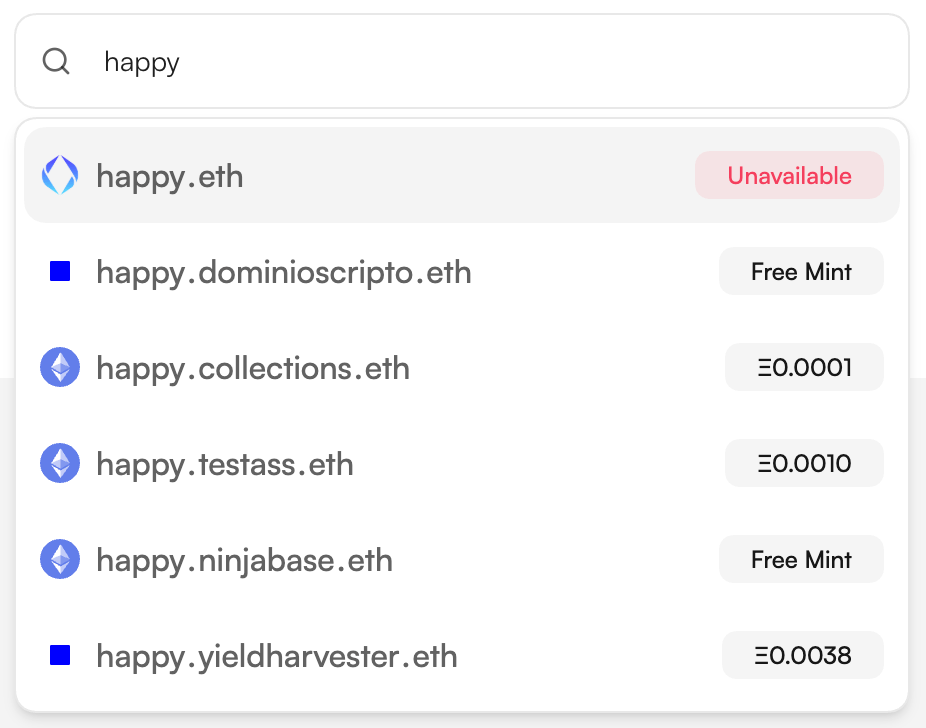
.eth name and matching subnames from parent names activated on Namespace. Each subname shows its price or a Free Mint label.3
Review the registration
Select the result you want and check the full name, owner, network, registration or mint price, estimated network fee, and total before continuing.
4
Confirm in your wallet
Continue from the registration dialog and approve the required wallet transaction. Wait for the transaction to confirm before using the name.
Register an onchain subname
The registration dialog shows the parent name’s configured mint price, estimated network fee, and total. Free listings show a Free Mint label.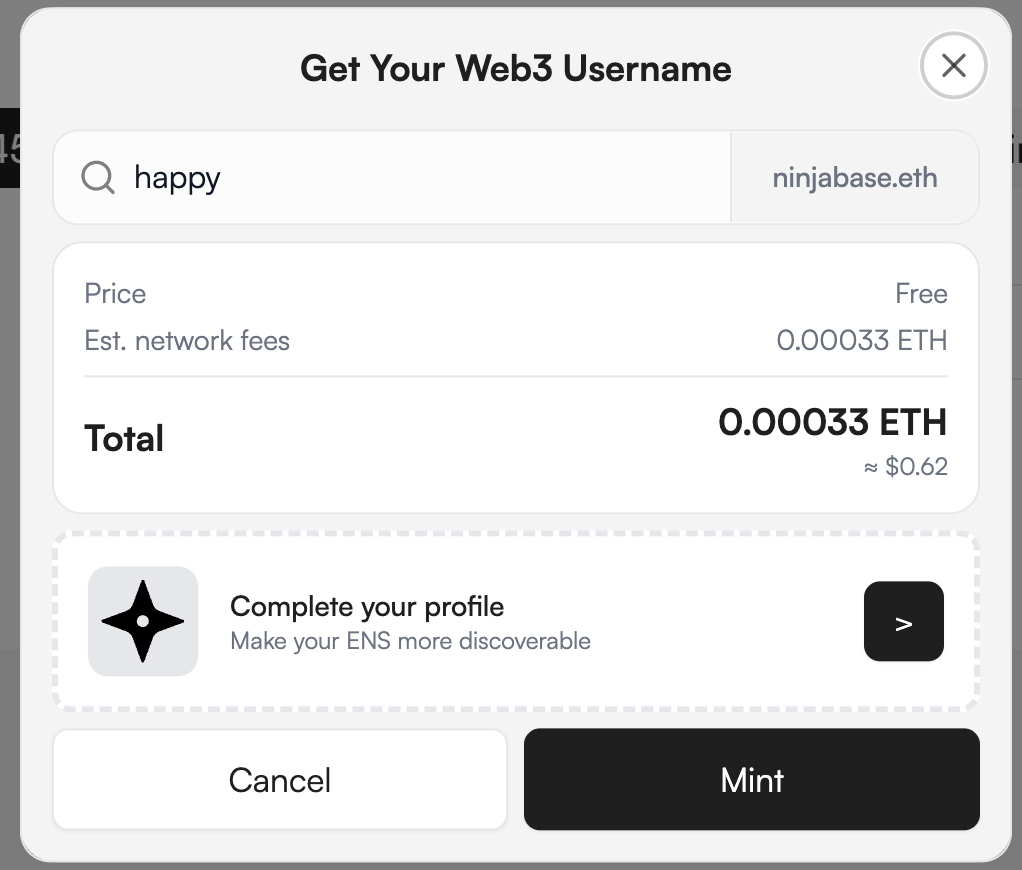
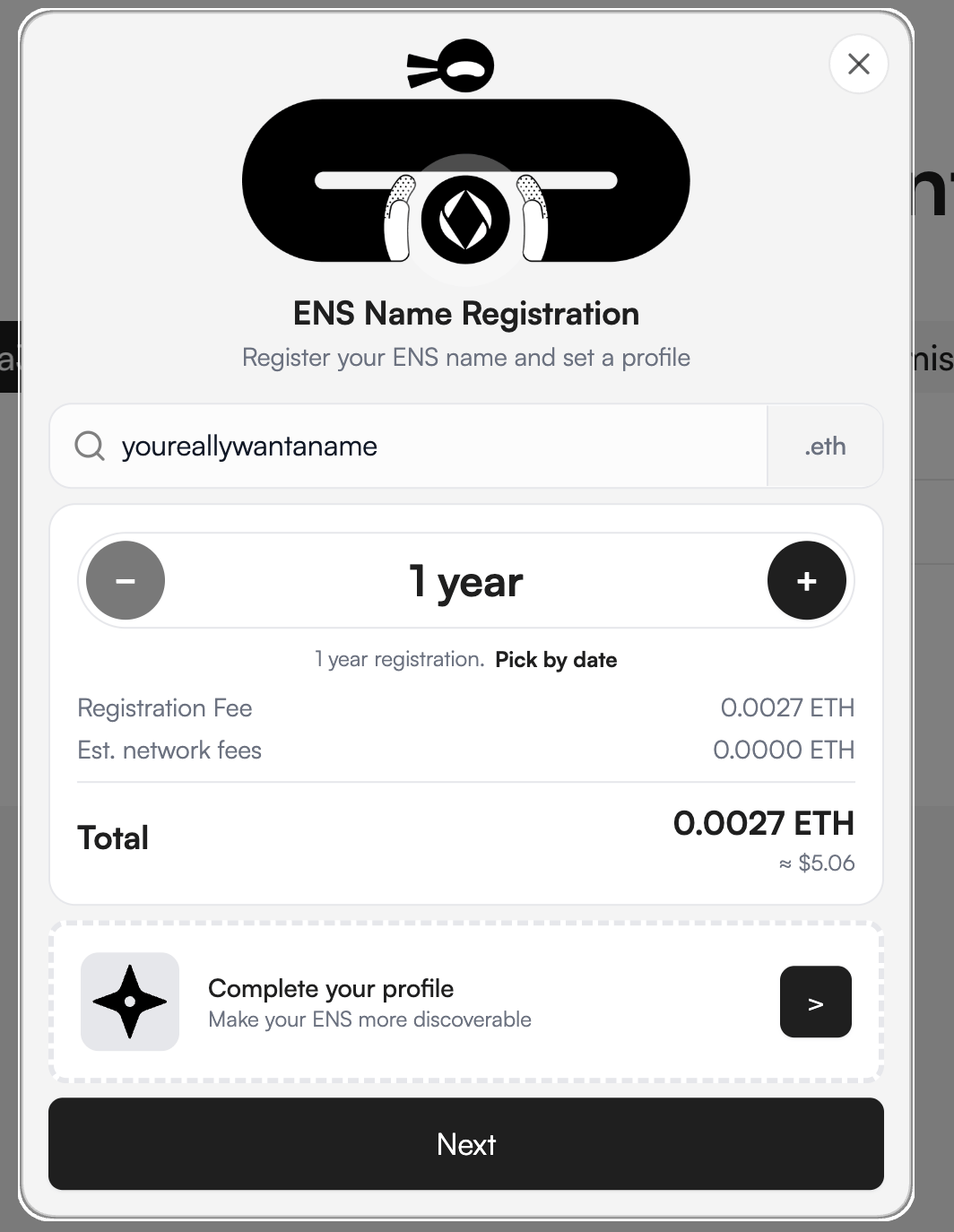
Register an ENS name
For an available.eth name, choose the registration period and review the registration fee, estimated network fee, and total. Continue through the wallet prompts shown by the app.
Next steps
Enable subname minting
Activate a parent ENS name and configure its listing rules on Ethereum Mainnet or an L2 chain.
Add registration to your website
Create and embed a no-code ENS Widget.