

Choose L1 or L2
Names activated on Ethereum Mainnet cannot be migrated to Namechain (ENS v2). If you plan to use Namechain, activate on a supported L2 such as Base or Optimism instead.
Before you begin
- Connect the wallet that owns the parent ENS name.
- Decide whether you want to issue subnames on Ethereum Mainnet or a supported L2.
- Choose your pricing, treasury address, and any minting restrictions.
Activate your ENS name
1
Open the Onchain section
Visit app.namespace.ninja/onchain, connect the owner wallet, select the ENS name, and click Activate Name.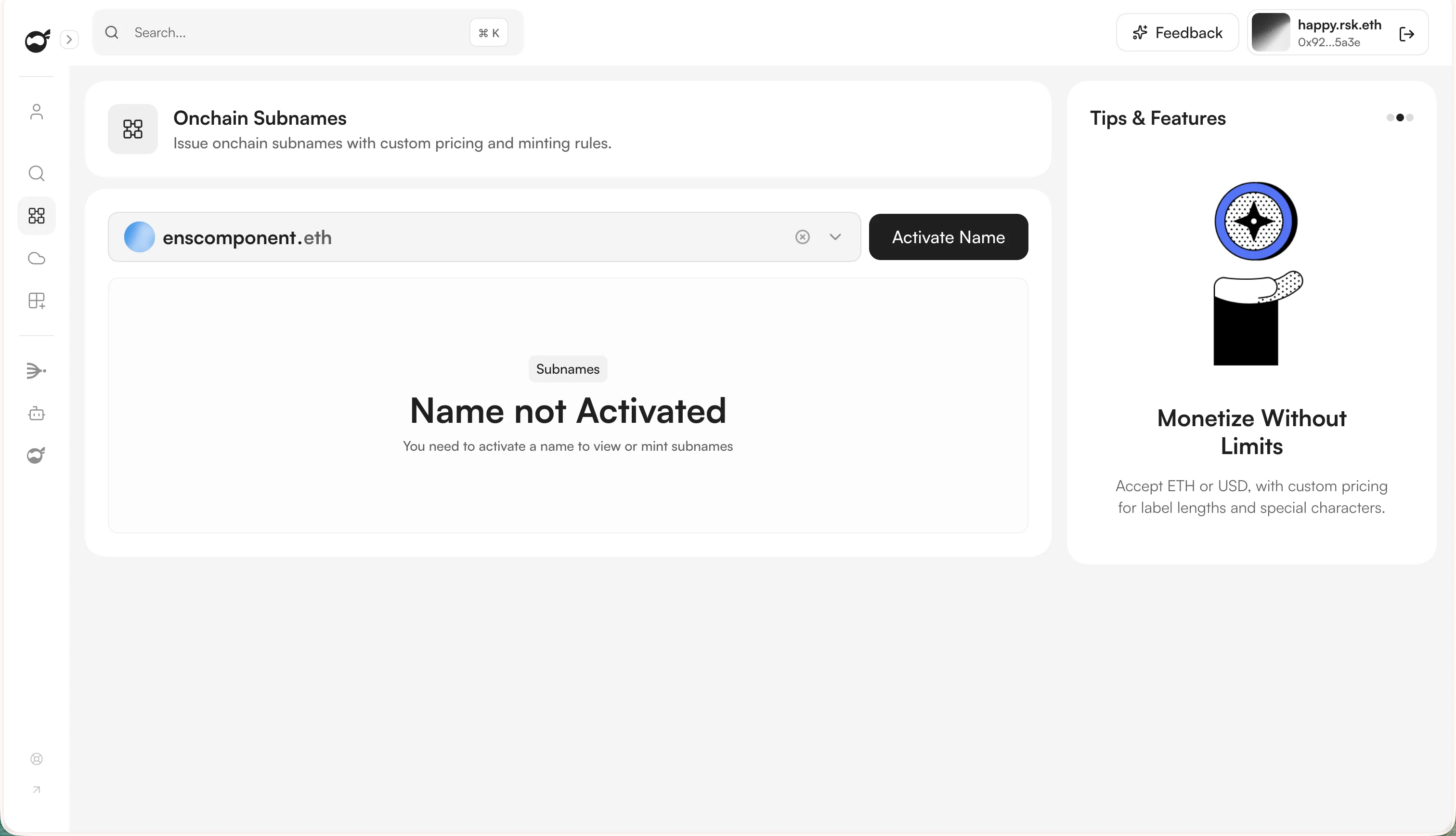
2
Choose L1 or L2 issuance
Select L1 ENS Subnames for Ethereum mainnet or L2 ENS Subnames for a supported L2. For L2, select the network from the dropdown, then click Next.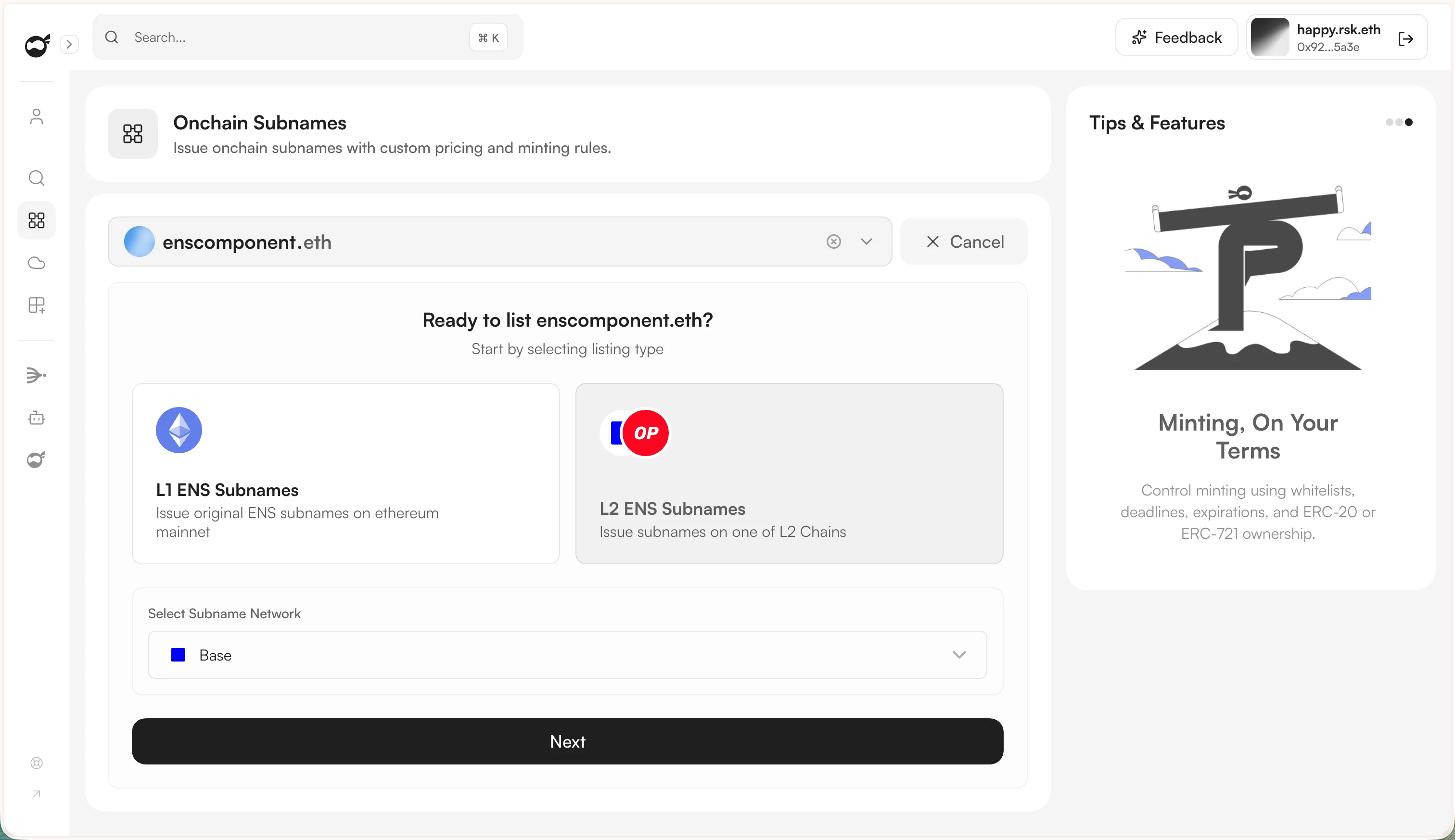
3
Configure the listing
Set the currency, treasury address, collection name and symbol, and whether subnames can be burned or rented. Then configure the base mint price and any length-based or special-name pricing.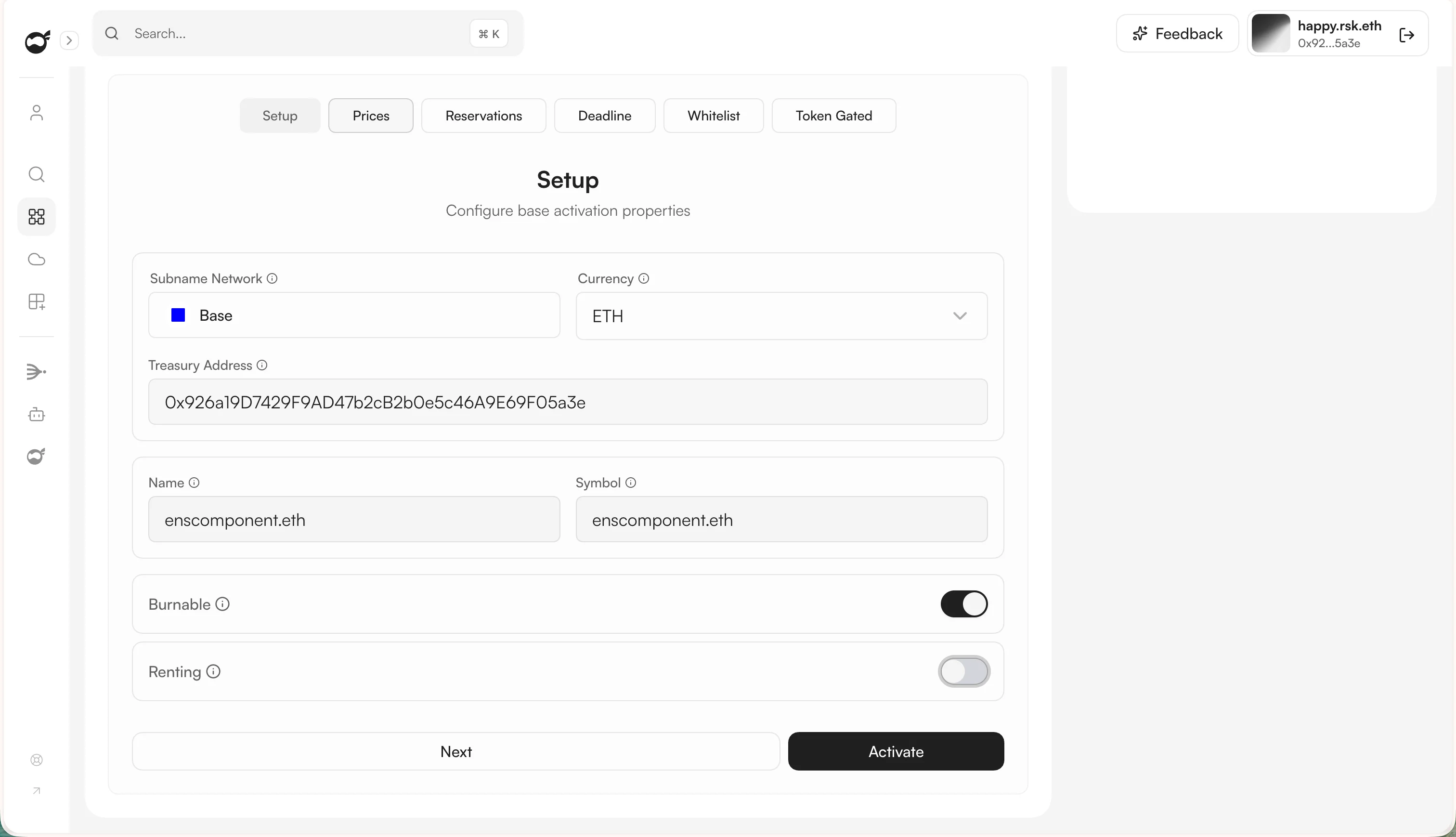
4
Add optional minting rules
Use reservations to block or specially price names. You can also add a deadline, restrict minting with an allowlist, or require ownership of an ERC-20 or ERC-721 token.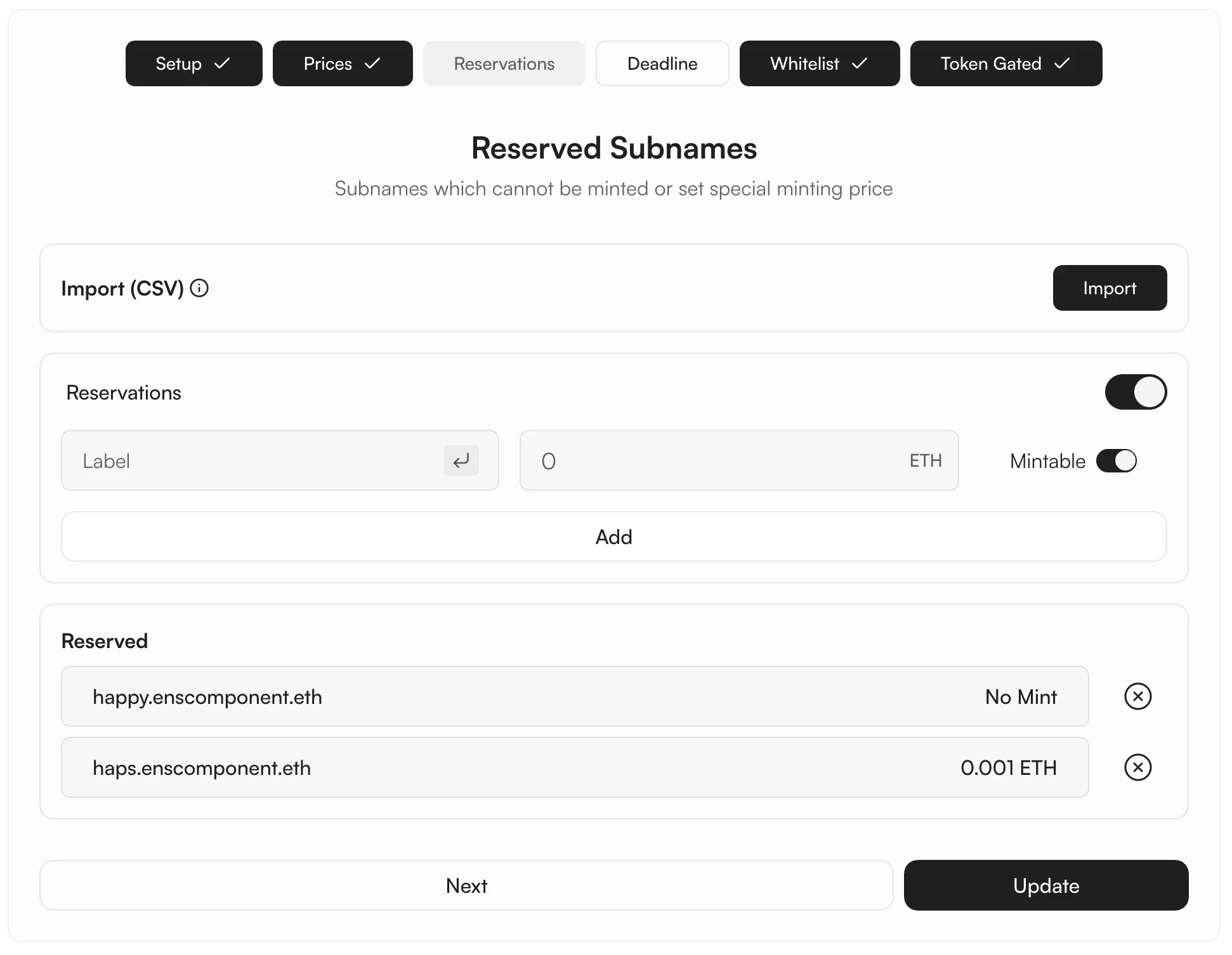
5
Activate the listing
Review the configuration, click Activate, and confirm the transaction in your wallet.
Activation on Ethereum Mainnet may require wrapping the ENS name. For activation on an L2 chain, the app may also prompt you to deploy the registry contract and configure the Namespace Hybrid Resolver.
6
Finish the activation
Complete any remaining registry or resolver transactions, then click Finish Activation. The ENS name now shows an Activated badge and is ready for subname minting.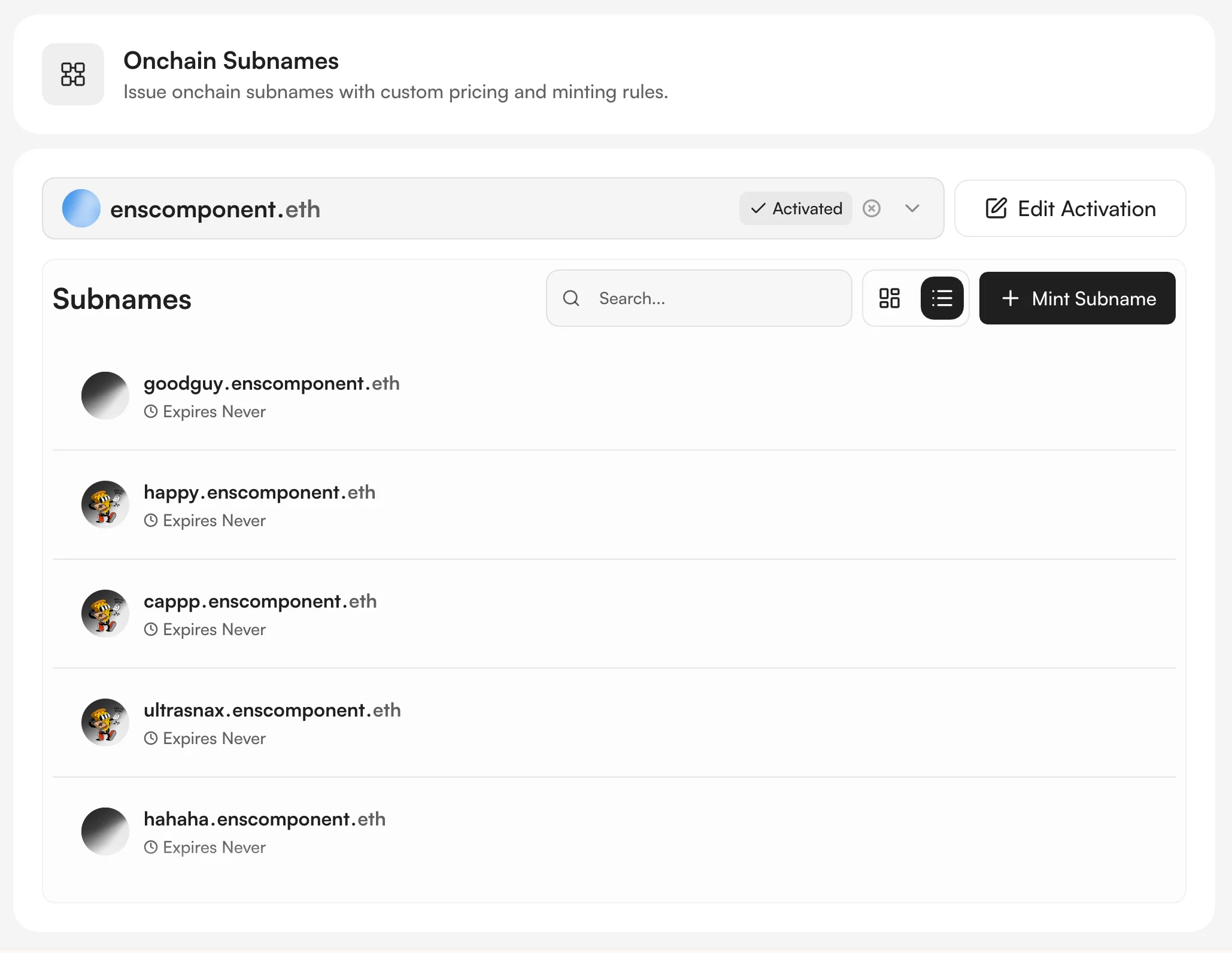
Choose how users mint
After activation, users can mint through:- The dedicated name page at
app.namespace.ninja/<name>.eth. - Namespace search for registering an ENS name or an available onchain subname.
- The ENS Widget embedded on your website without building a registration interface.
- A custom minting website based on the white-label Subpages starter.
- A custom app using the mint onchain subnames workflow.
Next steps
Create an ENS Widget
Embed onchain subname registration on your website.
Integrate onchain minting in your app
Add availability checks and mint transactions for Ethereum Mainnet or supported L2 chains to your app.